

Apple is opening a new route for developers to put app actions inside Siri AI, while Google is expanding the tools that connect services to Gemini and Search. For readers hoping to do more by asking and less by tapping, the useful news is the growing connection between assistants and apps. Access still depends on what has actually shipped for your account.
Checked November 5, 2026. This report is based on official announcements and documentation, not hands-on testing.
Siri AI opens to developers, with a consumer rollout still ahead
On November 3, Apple announced a Siri AI Developer Preview in the iOS 27.3, iPadOS 27.3, macOS 27.3 and visionOS 27.3 betas. Developers can expose custom app actions through App Intents and combine actions using skills. Apple gives delivery checks, reservations and orders as examples. These describe integration possibilities, not a promise that your favorite app supports them today. Read Apple’s announcement.
Apple says the new integrations will first reach customers in a few months, with App Store submissions opening in spring. It has not supplied a precise consumer launch date in that announcement.
There are significant limits. Siri AI requires an Apple Intelligence-enabled device and a supported language; Apple lists English, French, Japanese, Korean, Portuguese and Spanish. It is unavailable in the EU on iOS, iPadOS and watchOS, and unavailable to under-13s. Server-based features have daily usage limits, with paid expanded access planned. The same announcement’s availability notes explain those restrictions.
Installing a developer beta solely to try this is a poor trade for most everyday readers. Apple’s 27.3 beta release notes already flag an issue in which Siri AI might display certain app entities without requesting the unlock their authentication policy requires. That is a specific documented beta problem, not evidence that every Siri interaction exposes private information.
Google’s Connected Apps expansion is partly live and partly a preview
Google’s October 28 announcement introduces a preview platform for developers to bring services into Gemini, Search or both. Access is opening in phases. It also says Adobe, Experian, Localiza and Peloton integrations are live in Gemini, with Search expansion planned for the following weeks. Calm was described as forthcoming. Those are different rollout stages, even though they appear in the same Google announcement.
Google’s platform documentation explains the underlying approach: users link a service, and the assistant can use authorized data and tools. Developers can connect cloud services or expose native Android app functions. The service still does the work behind the conversation.
For an ordinary reader, the practical question is whether a particular connection works where they live. Google’s Gemini availability list says support varies by location, language, device and Gemini experience. For example, its Peloton connection can find and schedule classes and build training plans, but currently requires a personal Google account, age 18 or over, English and US availability. That is not a worldwide feature announcement.
AI agents are changing the entrance to apps
These announcements point toward assistants becoming another way to reach existing services. They do not establish that standalone apps are disappearing. That distinction matters when deciding whether to try a connection or abandon a familiar workflow.
Think of a restaurant reservation. An assistant could help interpret your request and pass it to a supported service. You would still need to check the venue, date, party size and cancellation terms. A fluent confirmation in a chat is useful only if the resulting reservation is correct.
Our earlier AI agents explainer covers the broader idea. This week’s developments concern the integration routes that could make more of those tasks accessible. They are not evidence of universal cross-app automation.
Try this decision card before delegating a task
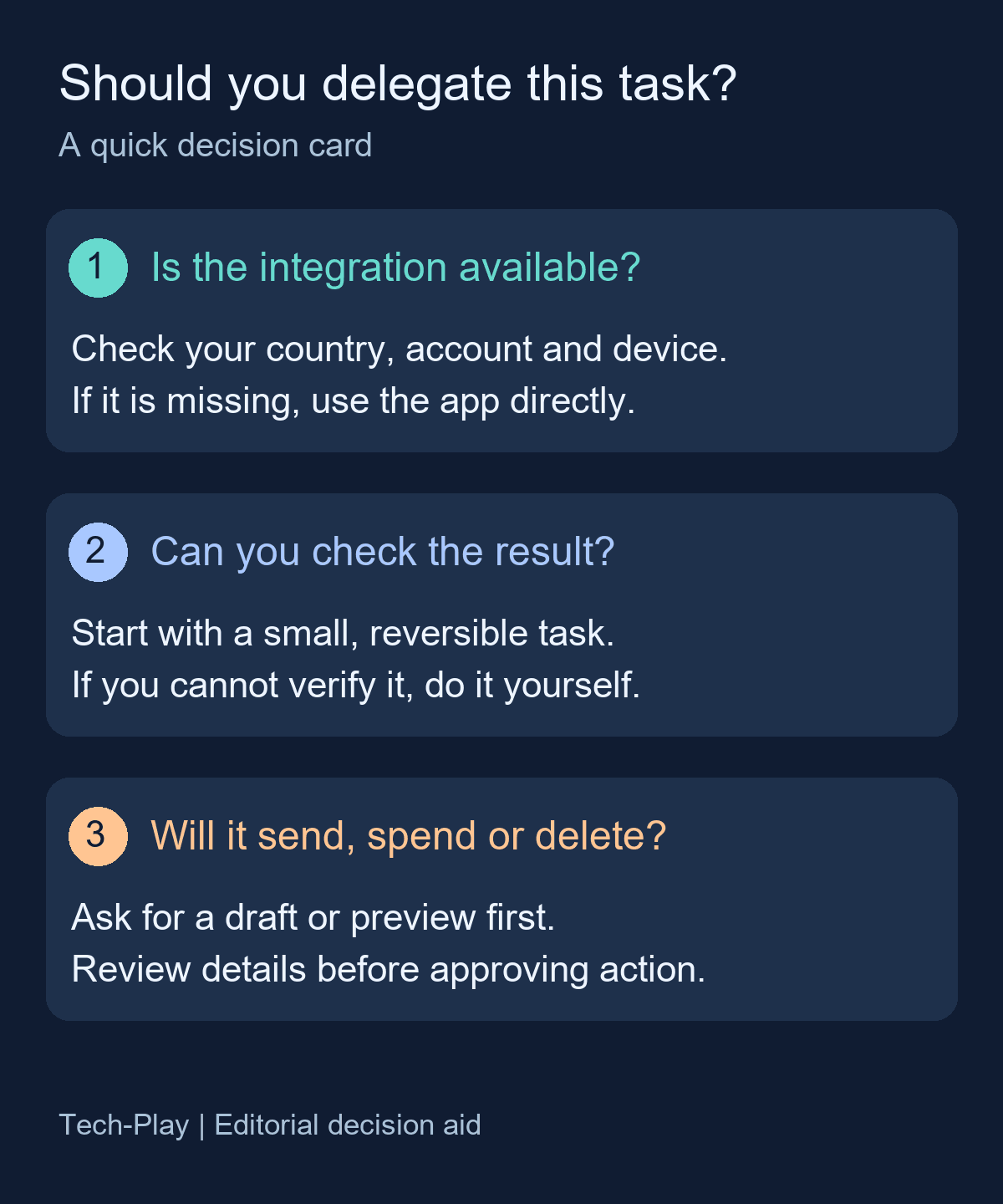
Use the card with one task you already repeat, rather than asking an assistant to reorganize your day:
- Confirm availability. Check the named integration for your country, account and device. If it is missing, use the app directly.
- Choose something you can verify. Start with a small, reversible task. If you cannot tell whether the result is right, handle it yourself.
- Review consequential actions. If it will send a message, spend money or delete something, ask for a draft or preview first. Check the details before approving.
For an eligible Peloton user, a starting request could be: “Suggest two beginner classes for this weekend. Show the class names and times before scheduling anything.” This is an illustrative prompt, not a tested result or a guarantee of how the integration will respond.
For Search, consult Google’s separate Connected Apps help page instead of assuming a Gemini connection also works there. Before trying any task, decide what a correct result looks like, then open the underlying service to check it.




it’s good