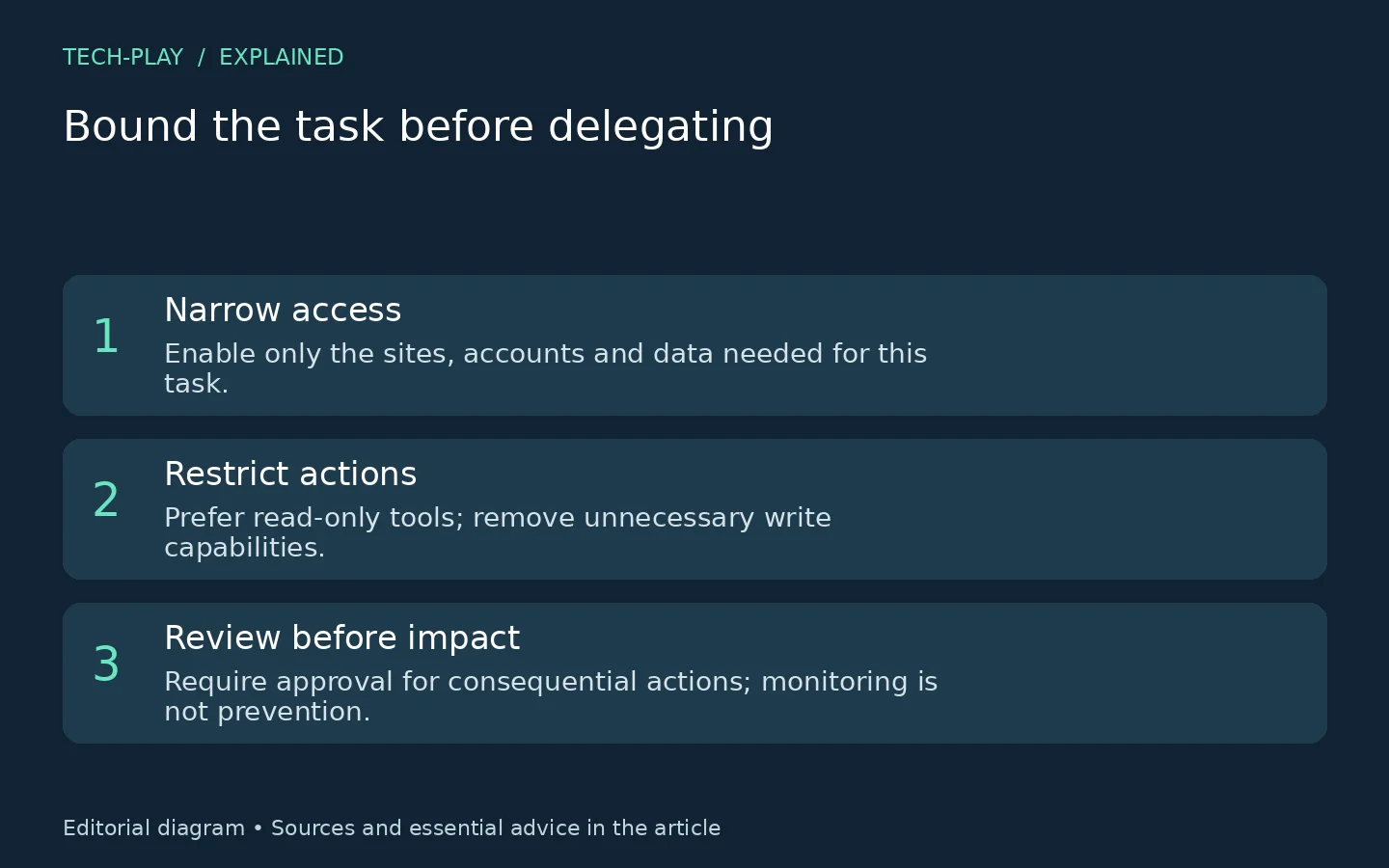
Before delegating a browser task, review where the agent can go, which accounts it can use, what it can read, what it can change, which files it can transfer, and when it must stop for approval. Grant only what this task needs—not everything that might make a future task convenient.
This permission-first approach follows OWASP’s guidance on excessive agency: unnecessary tools, excessive permissions and too much autonomy can turn unexpected or manipulated model output into damaging actions.
This is a product-neutral, desk-researched audit based on the supplied sources, verified on 15 November 2026. The checks below are editorial recommendations, not claims that every agent offers these settings or a security certification. For the broader background, see our AI agents explainer.
Why permissions matter even with model safeguards
Browser agents process material they cannot fully trust. Anthropic’s browser-security research describes malicious instructions embedded in web content that attempt to redirect an agent away from the user’s task. It also describes browser actions such as navigation, form filling, button clicks and downloads.
Anthropic reports improvements in its own evaluated systems, but explicitly warns that browser agents are not immune to prompt injection. Treat model safeguards as one layer—not permission to connect every account. Approval gates and narrow access are additional precautions, not guarantees.
Review these six permission boundaries
1. Sites and domains: where may it work?
Write down the exact sites needed for the assignment. If your agent provides site restrictions, enable only those destinations. Disable irrelevant browsing tools or integrations where possible.
For a hypothetical product comparison, start with the manufacturers’ public pages rather than authorizing unrestricted account access. If completing the task requires a new destination, review that expansion yourself.
This applies OWASP’s recommendation to minimize tools and avoid unnecessarily open-ended functionality. A site list in your prompt is a task instruction; do not treat it as an enforced restriction unless the product actually implements one.
2. Sessions and connected accounts: whose authority is available?
Ask whether the task can be completed logged out. If authentication is necessary, prefer a limited account or task-specific session where supported. Inspect connected apps separately and disconnect irrelevant ones.
For this audit, keep three questions separate: what permissions a website has in the browser, what signed-in account the agent can operate, and what access an app integration grants. Do not use the browser’s site-permission screen as your entire agent audit; inspect the product’s account and integration settings too.
The underlying principle is OWASP’s minimum-privilege, user-context guidance: delegated tools should operate within the specific user’s authorization scope, without unnecessary privileges.
3. Readable data: what does it actually need to see?
Choose selected documents or a narrow collection rather than an entire repository when the product permits it. Keep unrelated private material outside the task’s authorized scope.
Prefer read-only access for summarizing or comparing information. But do not equate read-only with harmless: OWASP’s mailbox attack scenario combines reading sensitive messages with an unnecessary sending capability to illustrate potential disclosure.
Ask two questions together: what could the agent read, and through which remaining actions could that information leave?
4. Writable actions: what may it change?
Separate preparing work from committing it. For an email summary, do not grant sending or deletion capabilities merely because the integration includes them. OWASP specifically recommends removing unnecessary mailbox functions.
Our default recommendation is immediate human review before sending messages, posting publicly, purchasing, deleting, changing account settings or granting access. Where possible, enforce restrictions through the connected service or tool permissions—not only a request that the model behave cautiously. OWASP recommends authorization checks in downstream systems rather than letting the model decide what is allowed.
5. Downloads and uploads: which transfers are necessary?
Treat file transfers as a separate decision. For a public-page comparison, leave downloads and uploads disabled if the task does not need them and controls exist. If a transfer is necessary, review the specific file, destination and purpose before allowing it.
This is an application of least privilege to the browser-action risks Anthropic describes, not a claim about universal transfer controls. Stop if a page requests unrelated sensitive documents or asks the agent to send task data elsewhere. Investigate yourself before widening access.
6. Autonomy: when must it ask or stop?
Define the deliverable and stopping conditions before starting. Require a pause before consequential actions, additional account connections or broader access. If the required approval control is missing or unclear, complete that part yourself.
OWASP recommends human approval for high-impact actions. Before approving, inspect the actual recipient, destination, content, amount or proposed change—not merely the agent’s explanation.
Watch the run where practical and inspect available activity records afterward. OWASP treats monitoring as damage limitation, not prevention.
Copyable pre-task permission checklist
Use this editorial checklist alongside the product’s current documentation, privacy policy and any organizational security requirements:
- [ ] My task has a specific deliverable and a clear stopping point.
- [ ] I checked whether it can run logged out or with a limited session.
- [ ] I listed the exact sites and connected apps needed, and disabled irrelevant access where possible.
- [ ] I chose read-only access where sufficient and identified any necessary write capability.
- [ ] Downloads, uploads, messages, purchases, account/security changes and data sharing are disabled or gated behind my immediate review where supported.
- [ ] I considered what private data a malicious page could cause the agent to expose or redirect.
- [ ] I know how to stop the run and will intervene if it follows page instructions instead of my request.
Decision rule: if you cannot establish a necessary boundary, narrow the assignment or do that portion manually. Do not solve a blocked task by automatically granting broader access.
Match the task to the consequences
As an editorial risk-tier example, begin with lower-risk public research: compare three public product pages and return source links, without authentication or file transfers. Lower risk does not mean attack-free; untrusted pages remain part of the task.
Treat email, financial, health and account-management work as higher-consequence delegation when it involves private records or consequential changes. Prefer research or preparation, keep access narrow, and perform the final action yourself if meaningful controls are unavailable. These are consequence-based recommendations, not measured product safety ratings.
Afterward, check the actual result and remove task-only access you no longer need. For checking the factual content of the deliverable, use our AI answer verification checklist. The practical goal is bounded delegation: enough authority to finish the defined task, without extra authority to improvise.