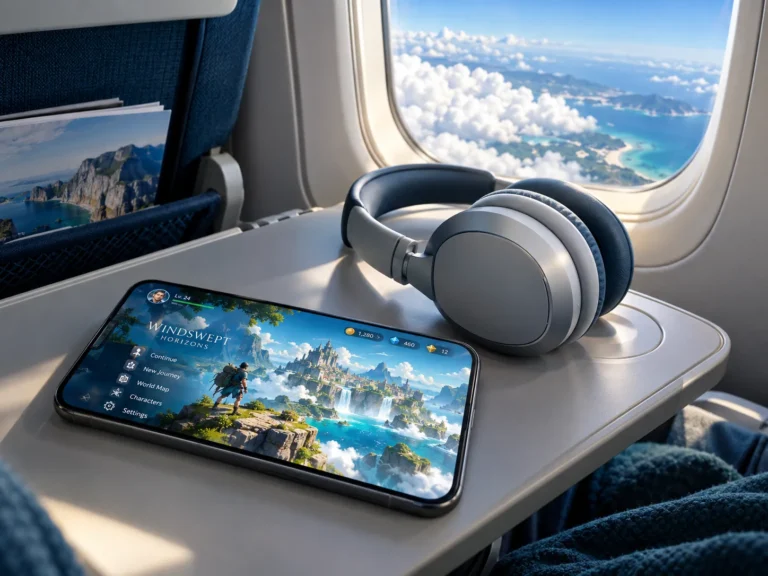
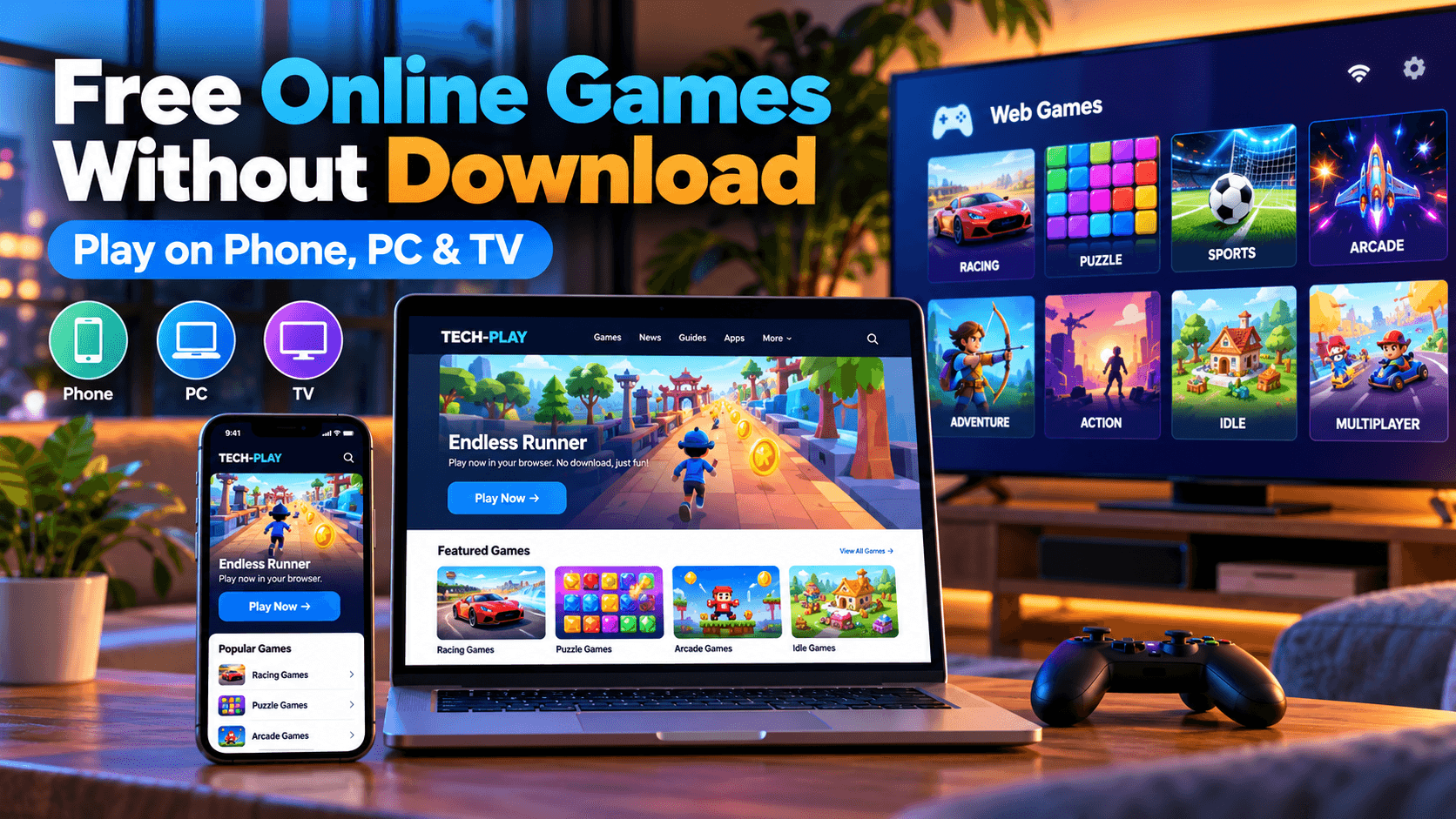
Sometimes you just want to play a game. Not download a 12 GB update, create another account, or spend ten minutes figuring out why something won’t install.
Just open a website, pick a game, and start playing.
That’s exactly why free online games without download are still worth checking out in 2026. Browser games have been around for decades, but they’re a lot more enjoyable than the clunky Flash games many of us remember from school computers.
Modern browser games can run on smartphones, laptops, desktop PCs, and even some Smart TVs. You don’t necessarily need expensive hardware, a gaming console, or much free time.
And that’s probably the best thing about them. You can play for five minutes while waiting for something, or lose an entire evening trying to beat your previous high score.
Here’s where to find good browser games, what works on different devices, and what you should know before clicking Play.
What Are Online Games Without Download?
The name pretty much explains it.
Online games without download are games you can launch directly in your web browser, without installing a traditional game app on your device.
Instead of visiting an app store or downloading an installer, you open a website. The game loads in your browser, and you’re ready to go.
Most modern browser games use web technologies such as HTML5, JavaScript, Canvas, and WebGL. These allow developers to create everything from simple puzzle games to surprisingly impressive 3D experiences.
Of course, your browser still downloads the files needed to run the game. The difference is that you don’t have to install and manage a separate application.
There are a few reasons people enjoy this approach:
- No traditional installation process.
- Easy access from different devices.
- Plenty of genuinely free games.
- Great for short gaming sessions.
- No need for a powerful gaming PC for most casual titles.
- Many games work with a keyboard, mouse, or touchscreen.
Some browser games even save your progress locally. Others use online accounts to synchronize your scores and achievements.
And while many require an internet connection, certain browser games can continue working offline once their files have been cached properly.
That depends entirely on how the game was built.
1. Play Free Browser Games on Your Smartphone
Your phone is probably the most convenient gaming device you own.
It’s always nearby, it already has a decent screen, and even budget smartphones are powerful enough to handle many casual browser games.
The easiest way to get started is simply to open Chrome, Safari, Firefox, or another modern mobile browser.
Search for a game, visit the website, and tap Play.
Sounds easy. Usually, it is.
Which Browser Games Work Best on Mobile?
Not every browser game is designed for a touchscreen. A game that expects a keyboard with six different buttons isn’t much fun when you’re holding a phone.
For mobile devices, I’d look for games with straightforward controls.
Endless runner games
These are ideal for short breaks. You control a character moving through an environment, avoiding obstacles and trying to survive as long as possible.
There’s usually no complicated story to follow. You learn the controls, make a few mistakes, and try again.
Puzzle games
Matching colors, connecting shapes, solving number puzzles, or completing logic challenges can be surprisingly addictive.
They’re also a good choice when you want something relaxing rather than fast-paced.
Arcade games
Simple arcade games are practically made for mobile browsers. Quick reactions, short rounds, and easy controls are all you really need.
Idle and incremental games
These are games where you gradually earn resources, unlock upgrades, and build something bigger over time.
Some idle games continue progressing while you’re away. Others require you to keep the browser tab open.
Are Browser Games Better Than Mobile Apps?
Not necessarily.
A dedicated mobile game can offer better performance, more advanced graphics, and tighter integration with your device.
But browser games have one obvious advantage: convenience.
If you only want to play something for ten minutes, installing another application can feel unnecessary.
And if your phone is nearly full, browser gaming can help you avoid another permanent installation.
Just remember that browser games still use memory, processing power, and internet data.
They aren’t magically free of resource requirements.
2. Free Online Games for PC and Laptop
If you’re playing on a computer, you have even more options.
A keyboard and mouse make certain games much easier to control, while the larger screen gives developers more space for detailed interfaces.
You also don’t need a dedicated gaming computer for most 2D browser games.
An ordinary office laptop or home PC can handle plenty of them.
Popular Types of PC Browser Games
Strategy and management games
These are especially comfortable with a mouse. You can build a small business, manage resources, develop a city, or experiment with different strategies.
Classic arcade games
Remember games where the entire objective was to survive for as long as possible?
They’re still around, and they still work.
Multiplayer browser games
Some websites let you compete against people around the world without installing a separate client.
These can include racing, drawing, trivia, and competitive arena games.
An internet connection is generally essential for multiplayer features.
Word and logic games
A classic crossword or word puzzle works just as well in a browser as it does in a dedicated app.
For some people, playing with a physical keyboard is actually more comfortable.
Do You Need a Gaming PC?
For basic browser games, absolutely not.
Most casual HTML5 games run perfectly well on ordinary hardware.
More demanding 3D browser games are a different story. They may require a capable graphics processor, enough RAM, and a browser with hardware acceleration enabled.
If a game feels sluggish, try closing unnecessary tabs and reducing any available graphics settings.
And don’t assume that every performance problem comes from your computer. Poor optimization can make even a simple game run badly.
3. Can You Play Online Games on a Smart TV?
This is where things become a little more interesting.
Smart TVs have gotten much more powerful, but playing browser games on them isn’t always as simple as opening a website on your laptop.
The experience depends heavily on your television’s operating system, built-in browser, and available controls.
For example, Android TV and Google TV devices behave differently from Samsung televisions running Tizen or LG models using webOS.
Android TV and Google TV
Some Android TV and Google TV devices include a browser or allow you to install a compatible one.
If your browser supports the game, you may be able to play directly on your television.
However, there are a few catches.
Many browser games expect touch input, keyboard controls, or a mouse. Your regular television remote may not be suitable.
Some games also demand more processing power than your TV can comfortably provide.
For a better experience, connecting a compatible Bluetooth controller or keyboard can help, although the game itself must support those controls.
If you want to explore gaming on your television, check out our Tech Play Games hub. It includes practical guides for Android TV, Google TV, and Smart TV gaming.
Samsung and LG Smart TVs
Samsung and LG televisions typically use their own operating systems.
That means you can’t normally install Android games directly on them.
Their built-in browsers may support some web-based games, but compatibility varies significantly.
A simple puzzle game might run fine, while a more demanding WebGL game might not load at all.
You may also have trouble controlling a game with your TV remote.
An alternative is to connect a laptop through HDMI or mirror your phone onto the television, provided your devices support it.
That way, the game runs on your phone or computer while the television displays the picture.
What About Cloud Gaming?
Cloud gaming is another option, but it’s different from ordinary browser gaming.
With services such as NVIDIA GeForce NOW or Xbox Cloud Gaming, compatible games run on remote servers and stream to your device.
This can make demanding games accessible without owning a powerful gaming PC.
But there’s a catch: cloud gaming services may require subscriptions, purchased games, supported hardware, or a compatible controller.
So if your only goal is to play something completely free in a browser, start with regular browser games first.
For more information about gaming directly on a television, read our guide to free Android TV games without a controller.
4. Where Can You Find Free Online Games Without Download?
There are several established websites offering browser-based games.
Some focus on quick arcade games, while others have huge collections covering everything from strategy to multiplayer gaming.
Here are a few worth exploring.
CrazyGames
CrazyGames offers a large collection of browser games across different categories.
You’ll find driving games, puzzles, arcade titles, multiplayer experiences, and plenty of other options.
Many games can be started directly from a browser, although device compatibility varies.
It’s a useful place to look when you’re not sure what you want to play.
Poki
Poki is another popular browser gaming platform.
It focuses on accessible games with straightforward navigation, making it easy to browse different genres.
You’ll find casual games, racing titles, puzzle games, and games designed for quick sessions.
Some titles work well on smartphones, while others are better suited to computers.
itch.io
itch.io is particularly interesting if you enjoy discovering independent developers.
Its HTML5 games section includes smaller experimental games, creative projects, short adventures, and unusual ideas.
Not everything is polished, and some projects are more like prototypes.
But that’s part of the appeal.
You occasionally find something genuinely original that would never appear in a mainstream app store.
Tech-Play
We also enjoy experimenting with our own browser gaming projects here at Tech-Play.
Our Endless Runner is a browser-based game you can try without going through an app store installation.
It’s a quick way to take a break and see how simple browser gaming can be.
If you’re interested in gaming guides as well, our Tech Play Games section covers Smart TV gaming, Android TV setup, and other useful topics.
5. Try an Endless Runner Without Installing Anything
There is something satisfying about a game that doesn’t need a twenty-minute tutorial.
Endless runner games are a good example.
The objective is usually simple: keep moving, avoid obstacles, and last longer than your previous attempt.
It sounds easy until the game speeds up and your reactions start getting tested.
That’s when the classic “just one more attempt” feeling kicks in.
We have our own Endless Runner on Tech-Play, available directly through the website.
You don’t need to visit an app store to get started.
Open the page in a compatible browser and give it a try.
If you enjoy this kind of quick arcade gaming, you might also like our guide to the best endless runner games you can play anywhere, where you can discover more gaming ideas for mobile devices.
6. Are Free Browser Games Actually Free?
This is worth discussing because “free” doesn’t always mean the same thing.
Some browser games are completely free to play.
Others are free but display advertisements.
Some offer optional purchases, cosmetic items, premium upgrades, or other paid features.
And certain websites promote free trials for services that eventually require a subscription.
Before playing, it’s worth checking whether the game has any payment requirements.
You should never have to enter your credit card details just to start an ordinary free browser game.
If a website suddenly asks you to install an unfamiliar extension or download a suspicious executable file, that’s a good reason to leave.
A genuine browser game generally doesn’t need that kind of installation.
What About Advertisements?
Advertisements help many gaming websites cover hosting, development, and maintenance costs.
That’s normal.
However, the experience varies between platforms.
Some sites display a small number of ads around the game, while others interrupt gameplay with frequent pop-ups.
If a site becomes frustrating to use, try another one.
There are plenty of alternatives.
7. Are Online Browser Games Safe?
Most well-known browser gaming websites are perfectly ordinary entertainment platforms.
But as with other websites, you should pay attention to what you’re opening.
Here are a few habits that make browser gaming safer.
Use recognizable websites. Start with platforms you know or can reasonably verify.
Avoid unnecessary downloads. If you’re looking for an instant browser game, be cautious when a website insists you install unrelated software.
Don’t allow suspicious notifications. A game usually doesn’t need permission to send notifications to your device.
Be careful with account registration. Not every game requires an account. If one does, use a unique password.
Keep your browser updated. Security updates and modern browser features help protect your device.
Watch out for fake Play buttons. On some websites, advertisements can look similar to the actual game controls.
For families, it’s also worth reviewing whether a gaming website contains user-generated content, chat features, or advertisements that may not be suitable for younger children.
And remember that HTTPS is useful, but it doesn’t automatically guarantee that every website is trustworthy.
8. Why Browser Gaming Is Still Popular in 2026
With powerful gaming consoles, smartphones, and dedicated gaming PCs available, you’d think browser games would have disappeared years ago.
They haven’t.
And the reason is pretty straightforward.
Not everyone wants a massive gaming experience every time they sit down.
Sometimes you have fifteen minutes before leaving the house.
Sometimes you’re waiting for an update to finish.
Sometimes you just want to play a puzzle, beat your previous score, or challenge a friend.
Browser games fit into those little gaps.
They’re also easier to share. Instead of explaining how to install an application, you can often send someone a link.
That’s a small advantage, but a useful one.
Modern web technologies have made these games more capable too. Developers can build increasingly sophisticated experiences using JavaScript, WebGL, and other browser features.
The result is a gaming category that continues to evolve without requiring every player to install another application.
Of course, browser gaming won’t replace every kind of traditional gaming.
If you want a huge open-world adventure or a demanding competitive shooter, a dedicated game or cloud service is often a better choice.
But for quick, accessible entertainment, browser games still make a lot of sense.
9. How to Make Browser Games Run More Smoothly
If your game is slow, freezing, or refusing to load, there are a few things you can try before giving up.
Update Your Browser
Modern browser games often rely on features that older browsers don’t support properly.
Keeping Chrome, Safari, Firefox, or Edge up to date can fix compatibility problems.
Close Unnecessary Tabs
Having dozens of browser tabs open can consume memory and processing power.
Closing a few of them may improve performance, especially on older devices.
Check Your Internet Connection
Many browser games load resources while starting.
If your connection is unstable, the game may take a long time to load or stop unexpectedly.
Multiplayer games can also suffer from lag when your connection has high latency.
Disable Problematic Extensions
Some browser extensions interfere with scripts, graphics, or network requests.
If a trusted game isn’t loading, try opening it in a clean browser profile.
You don’t need to disable your security protections permanently just to play a game.
Check Device Compatibility
A touchscreen game might not work properly with a TV remote.
A keyboard-based game might be awkward on a smartphone.
And an advanced 3D game may run poorly on older hardware.
Sometimes the easiest solution is simply to try another device.
10. Best Types of Free Online Games for Different Devices
If you’re not sure where to start, here’s a quick comparison.
| Game Type | Smartphone | PC/Laptop | Smart TV |
|---|---|---|---|
| Endless runners | Excellent with touch controls | Great | Depends on controls |
| Puzzle games | Excellent | Excellent | Often suitable |
| Strategy games | Varies | Excellent | Usually awkward |
| Arcade games | Great | Great | Depends on controls |
| Multiplayer games | Varies | Great | Limited compatibility |
| Word games | Great | Excellent | Depends on input method |
| 3D browser games | Device-dependent | Usually better | Often limited |
The biggest consideration is usually not the graphics.
It’s how you control the game.
A beautifully designed browser game can still be frustrating if it was built for a keyboard and you’re trying to play it with a television remote.
Choose games that fit the device you’re using.
You’ll have a much better time.
Frequently Asked Questions
Can I play free online games without downloading anything?
Yes. Many browser games run directly in Chrome, Safari, Firefox, Edge, and other modern browsers. The browser loads the necessary game files automatically, without requiring you to install a separate application.
What are the best free browser games for mobile?
Endless runners, puzzles, simple arcade games, word games, and certain idle games tend to work well on smartphones. Look for games specifically designed for touch controls.
Can I play browser games without creating an account?
Yes. Many casual browser games allow you to start playing immediately. Some multiplayer games or games with cloud-based progress saving may require registration.
Do free browser games work offline?
Some do, but many require an internet connection. Offline support depends on whether the developer has implemented the necessary caching and offline features.
Can I play free browser games on a Smart TV?
Sometimes. It depends on your TV’s browser, performance, and control options. Android TV, Google TV, Samsung, and LG devices have different capabilities. Connecting a computer via HDMI can be a more reliable alternative.
Are browser games safe for children?
They can be, but safety depends on the website and the game. Parents should check advertising, chat functions, user-generated content, and any payment features before allowing younger children to play.
Do browser games use a lot of internet data?
It depends on the game. Simple 2D games often use relatively little data after loading, while large 3D games or games that continuously communicate with online servers may use considerably more.
Do I need a powerful computer for browser gaming?
No. Most simple browser games work on ordinary computers. More demanding 3D titles may require better hardware and graphics support.
Final Thoughts: Sometimes Simple Gaming Is Better
You don’t always need a powerful gaming setup to have a good time.
A browser, an internet connection, and a few spare minutes can be enough.
Whether you’re playing on your phone during a break, relaxing with a puzzle on your laptop, or experimenting with games on your Smart TV, there are plenty of ways to enjoy gaming without installing another app.
Start with something simple. Find a game you enjoy. And don’t worry about having the newest hardware.
After all, the best game isn’t necessarily the one with the most impressive graphics.
It’s the one you actually enjoy playing.
Want to play something right now?
Try our free Endless Runner on Tech-Play, or explore the Tech Play Games hub for more gaming guides and ideas.