
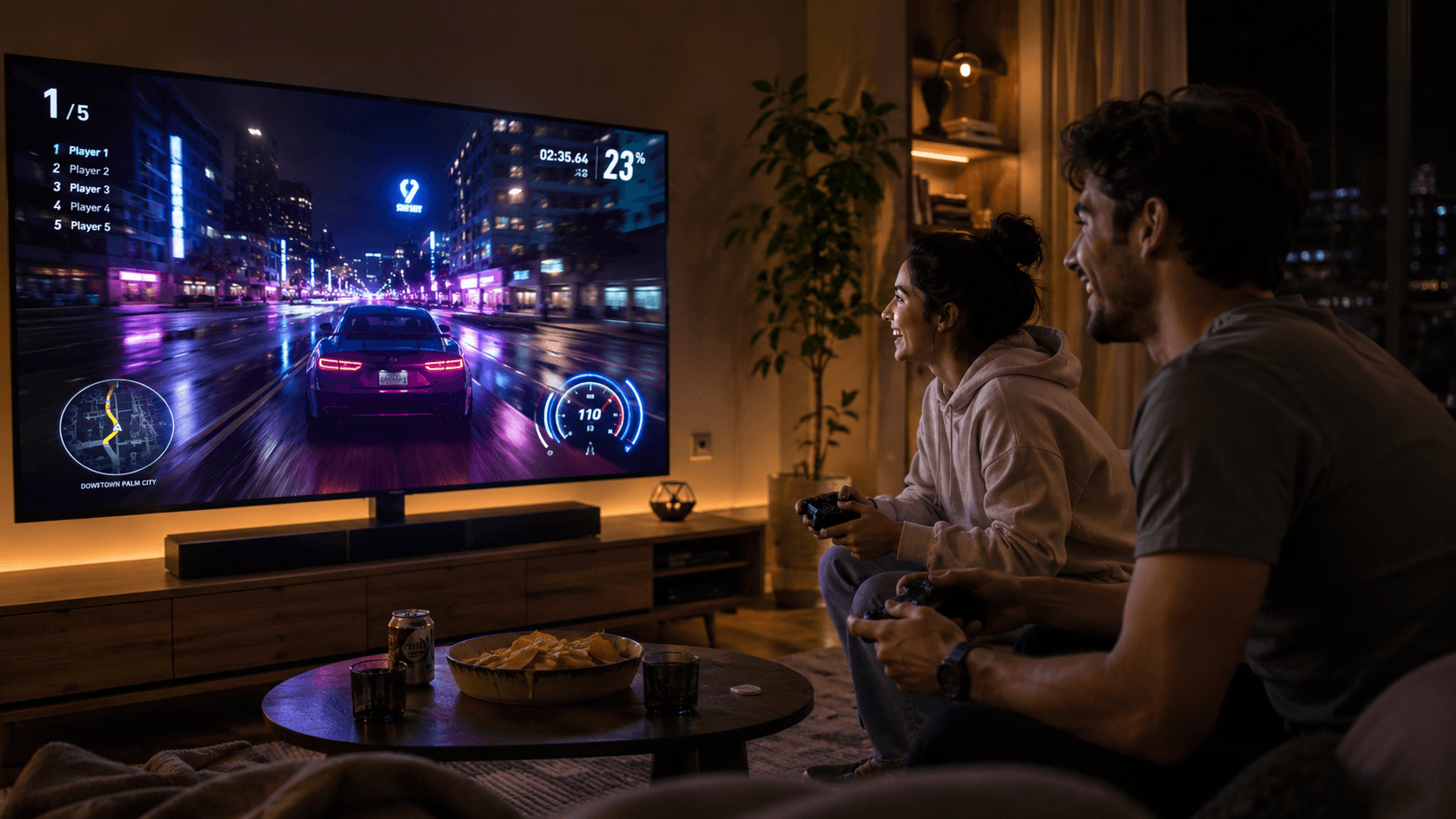
Most people use their Android TV to watch Netflix. Smart people use it to game.
Here’s the truth nobody tells you: your Android TV is already a capable gaming console. You don’t need a PlayStation. You don’t need an Xbox. You just need to know what to install — and how to set it up properly in about five minutes.
Let’s get into it.
Why Android TV Gaming Is Seriously Underrated
The living room TV has always been the gaming screen. Big display, comfortable couch, friends around — it’s the perfect setup. And Android TV finally makes it accessible without dropping €500 on a dedicated console.
Whether you’ve got a Sony, a Philips, a Xiaomi, or an NVIDIA Shield box plugged in, you’re running Android TV. That means direct access to the Google Play Store, thousands of games, cloud gaming services, and full Bluetooth controller support.
The best part? Most of the great games cost almost nothing. A few euros, or completely free.
Step 1: Connect a Controller (Takes 2 Minutes)
Before you touch a single game, get a proper controller. Playing with a TV remote is painful.
The easiest options in 2026:
- Xbox Wireless Controller — Pairs instantly via Bluetooth, universally supported, works on almost every Android TV game out of the box.
- PlayStation DualSense — Excellent for Android TV, great battery life, comfortable for long sessions.
- Your phone — No controller? No problem. Apps like Gamepad TV let you use your smartphone as a wireless gamepad over Wi-Fi or Bluetooth. Free, and it actually works.
How to pair your controller:
- On your Android TV home screen, go to Settings
- Select Remote and Accessories → Add Accessory
- Put your controller into pairing mode (hold the Bluetooth button until it flashes)
- Select it from the list — done
That’s it. Two minutes, maybe less.
Step 2: Go to the Google Play Store and Search “Games”
Your Android TV already has the Play Store built in. Open it, head to the Games section, and you’ll find hundreds of titles optimised for the big screen.
Filter by “Controller Supported” to avoid frustration — some games are touch-only and don’t translate well to a TV.
The Best Games to Play on Android TV Right Now
🏎️ Beach Buggy Racing 2
The perfect couch game. Kart racing, power-ups, chaotic multiplayer — it plays exactly how you want it to on a big screen. Free to play, controller support is excellent, and you can race against friends locally with two controllers.
🗡️ Magic Rampage
A proper platformer with RPG elements. You fight through dungeons, collect gear, and level up your character. What makes it great for Android TV specifically is the local co-op — grab a friend, grab a second controller, and go. Old-school fun that holds up.
🌍 Crashlands
You crash-land on an alien planet and have to survive. Sounds simple, plays brilliantly. Craftable gear, a real story, tons of content. This is the kind of game you sit down to play for 20 minutes and look up three hours later.
🏁 Horizon Chase
If you grew up playing OutRun or Top Gear on old consoles, Horizon Chase is pure nostalgia rebuilt for modern screens. Retro-style arcade racing that looks gorgeous on a big display and feels incredibly satisfying with a proper controller.
🎮 Bridge Constructor Portal
Yes, that Portal. This is a clever puzzle game that blends the Bridge Constructor formula with the Portal universe — complete with Aperture Science humour and portals to solve your engineering problems. Brain-bending, funny, and perfect for one or two players.
Bonus: Cloud Gaming on Android TV
Want to play console-quality games without a console? Android TV is the most flexible platform for cloud gaming right now.
These services all have apps on Android TV:
- NVIDIA GeForce NOW — Stream PC games from the cloud, including your Steam library. If you already own games on Steam, this is a game changer.
- Xbox Cloud Gaming — Access hundreds of Xbox Game Pass titles streamed directly to your TV. No Xbox required.
- Amazon Luna — Growing library, solid performance, worth a look especially if you’re already in the Amazon ecosystem.
All you need is a decent internet connection (15Mbps+ for smooth play) and a Bluetooth controller. Setup takes under five minutes per service.
One Pro Tip Most People Miss
Always update your TV firmware before installing new games or cloud gaming apps. Outdated firmware causes crashes, input lag, and connection drops that have nothing to do with the game itself — but feel like they do.
Settings → About → System Update. Do it once, then forget about it.
The Bottom Line
Your Android TV can do a lot more than stream shows. For the price of zero (or a few euros), you’ve got a living room gaming setup that would have cost hundreds just a few years ago.
Grab a controller. Download two or three games from this list. Invite someone over.
That’s what the big screen is actually for.
Already gaming on Android TV? Drop your favourite game in the comments — we’re always hunting for hidden gems.

[…] und smarte digitale Trends? Dann schau dir auf tech-play.net auch unseren Gaming-Guide an: https://tech-play.net/best-android-tv-games-2026/ — und folge Tech-Play für die nächsten einfachen Erklärungen zu Technik, Apps und […]