
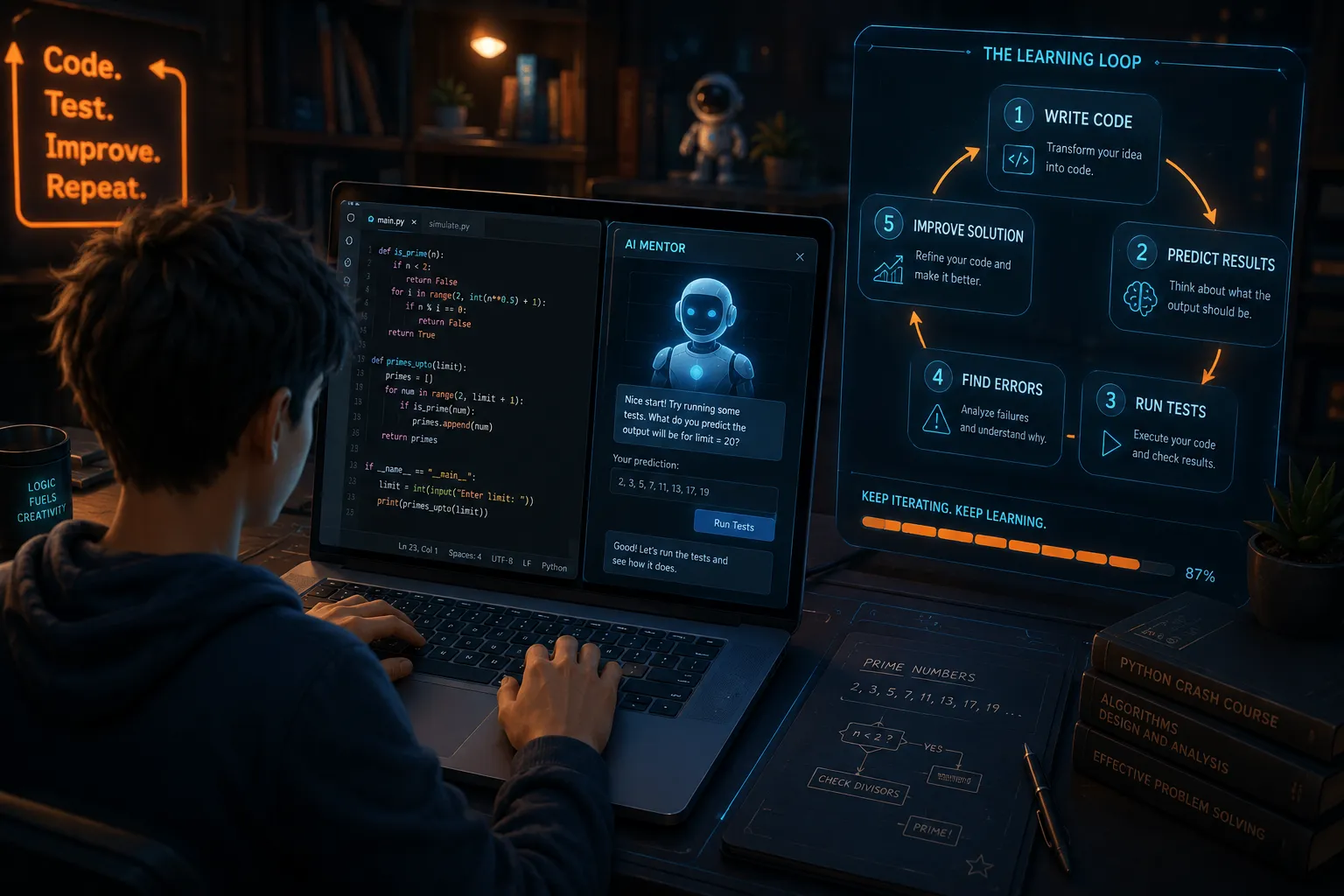
Open a coding assistant in 2026 and it can build a login screen, explain an error, write a database query, and generate the tests. Watching that happen raises an uncomfortable question: should you learn to code in 2026, or are you preparing for work that AI will soon handle on its own?
Should you learn to code in 2026? Yes, but for a different reason
Learning to code still makes sense. Memorizing syntax, however, is no longer enough to build a career.
A few years ago, knowing the right commands could separate a beginner from someone who had never programmed. Today, almost anyone can ask an AI tool to create a basic website or a short Python script. The first draft may appear in seconds.
That sounds like bad news for new developers. In some areas, it is. Companies have less reason to pay someone for work that can be described clearly in one prompt and checked in five minutes.
But most commercial software does not fit into one clean prompt. Requirements change, users behave strangely, APIs fail, permissions become messy, and the “small feature” added on Friday somehow breaks checkout on Monday.
Coding still matters because someone has to understand the system when the generated answer stops working.
The goal of learning has shifted. You are no longer training to become the fastest person at typing code. You are learning how software behaves, how to divide a problem into manageable parts, and how to tell whether an AI-generated solution can be trusted.
What AI coding tools can already do well
AI is genuinely useful for software development. Pretending otherwise would be silly.
A capable coding assistant can help with:
- Boilerplate code
- Simple user-interface components
- Database queries
- Unit-test drafts
- Documentation
- Code explanations
- Language conversions
- Common error messages
- Repetitive refactoring
For a developer who already understands the project, these tools save time. Instead of spending 20 minutes writing the basic structure of a component, you can generate it, review it, and move on.
Beginners also benefit. An AI tutor is available at midnight, does not become impatient, and can explain the same loop in several different ways. Used properly, it removes some of the friction that causes people to quit during their first month.
The problems begin when plausible output is confused with correct output.
An AI assistant might call a function that does not exist. It may use an outdated package, expose private data, misunderstand the database structure, or “fix” an error by removing the validation that caused it.
The code can look professional while being completely wrong.
The 2025 Stack Overflow Developer Survey found that 46% of respondents distrusted the accuracy of AI tools, compared with 33% who trusted them. Only about 3% reported a high level of trust. Experienced developers were among the most cautious respondents.
That caution is reasonable. The more responsibility a developer carries, the less useful “it looked correct” becomes as an excuse.
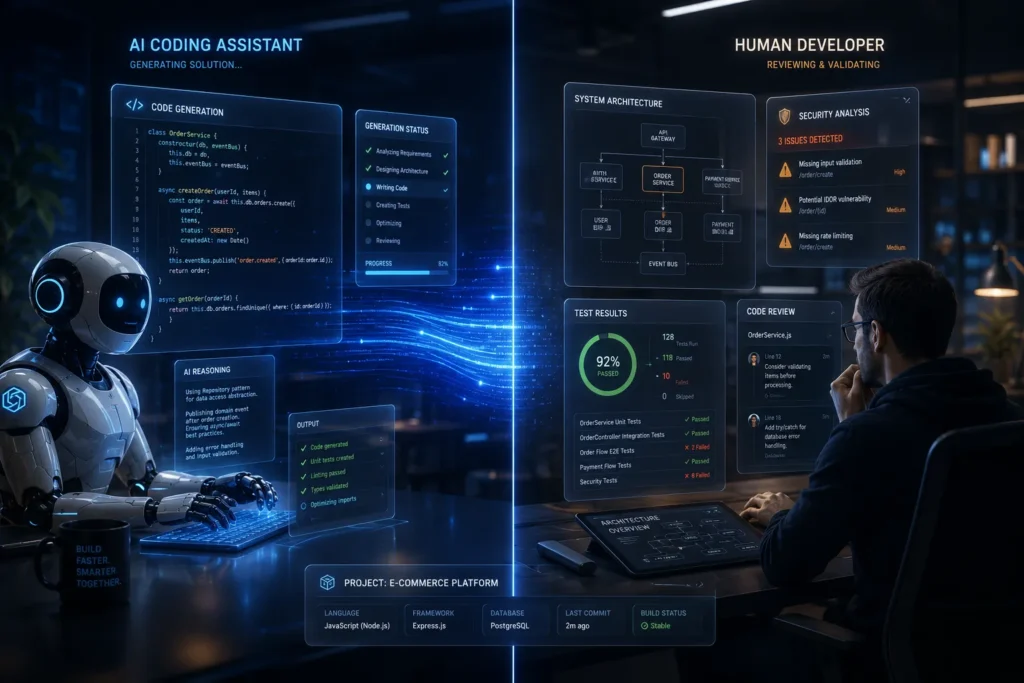
AI can write a function, but it does not own the outcome
Suppose you ask an AI assistant to create a password-reset feature.
It can generate the form, the backend route, and the email template. The result may even work during your first test.
But several questions remain:
- How long should the reset token stay valid?
- Can the same token be used twice?
- What happens if someone requests hundreds of emails?
- Does the interface reveal whether an email address has an account?
- Are active sessions closed after the password changes?
- Where are failed reset attempts recorded?
- Which privacy rules apply to the stored data?
These details rarely fit neatly into a request such as “build password reset.” They require technical knowledge, awareness of the product, and decisions about risk.
That is where the conversation about AI and software developers often becomes confused. People compare an AI tool generating a function with a human developer completing an entire product feature. Those are not equivalent jobs.
Software development includes the code, but it also includes every decision surrounding the code.
The same applies outside security. An AI can create a shopping cart without knowing how the company handles taxes, stock reservations, refunds, delivery zones, or discount combinations.
It can build a family task app without deciding who may approve a child’s task, what happens when a subscription ends, or how family data should be separated. The implementation depends on rules that someone must first understand.
The future of programming jobs is uneven
There is no single forecast covering every person who writes code. A developer maintaining payment infrastructure has a different job from someone producing basic landing pages.
Current US employment projections illustrate this split. The Bureau of Labor Statistics expects employment for software developers, quality assurance analysts, and testers to grow by 15% between 2024 and 2034. It estimates roughly 129,200 openings per year across those occupations.
The narrower occupation of “computer programmer” has a different outlook. Employment in that category is projected to decline by 6% over the same period.
The distinction is useful.
A programmer may receive a detailed specification and translate it into code. A software developer is more likely to help define the requirement, choose the structure, connect services, test the result, and maintain it after release.
AI is especially good at translating well-defined instructions into code. It is less reliable when the instructions are incomplete, contradictory, or based on assumptions nobody has written down.
Routine implementation is becoming cheaper. Ownership of a working system is not.
Entry-level developers will feel the pressure
Junior developers traditionally learned through smaller tasks. They fixed simple bugs, wrote documentation, created basic components, and added tests.
AI can now perform much of that work quickly. This creates a real problem: if companies automate beginner tasks, where do beginners gain the experience needed for harder ones?
There is no easy answer. Entry-level candidates will probably have to demonstrate more ability than previous generations did at the same stage.
A basic portfolio may not be enough when every applicant can generate a polished interface. Employers will want to know what you decided yourself.
Be ready to explain:
- Why you selected a particular database
- How authentication works
- Which part of the project failed
- How you found the cause
- What you would change with more time
- Which AI-generated suggestions you rejected
A small project you understand deeply is more convincing than a large project you cannot explain.
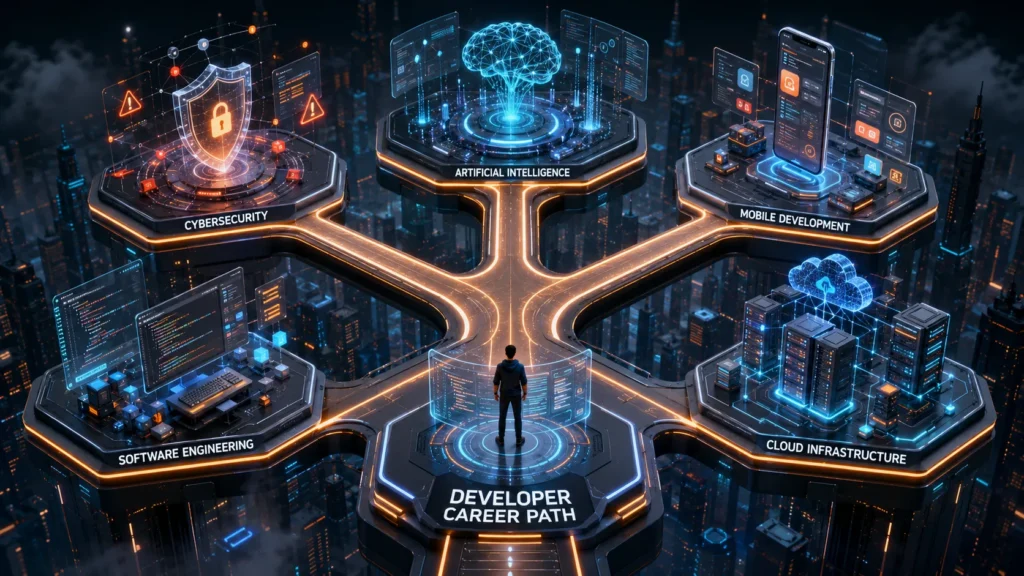
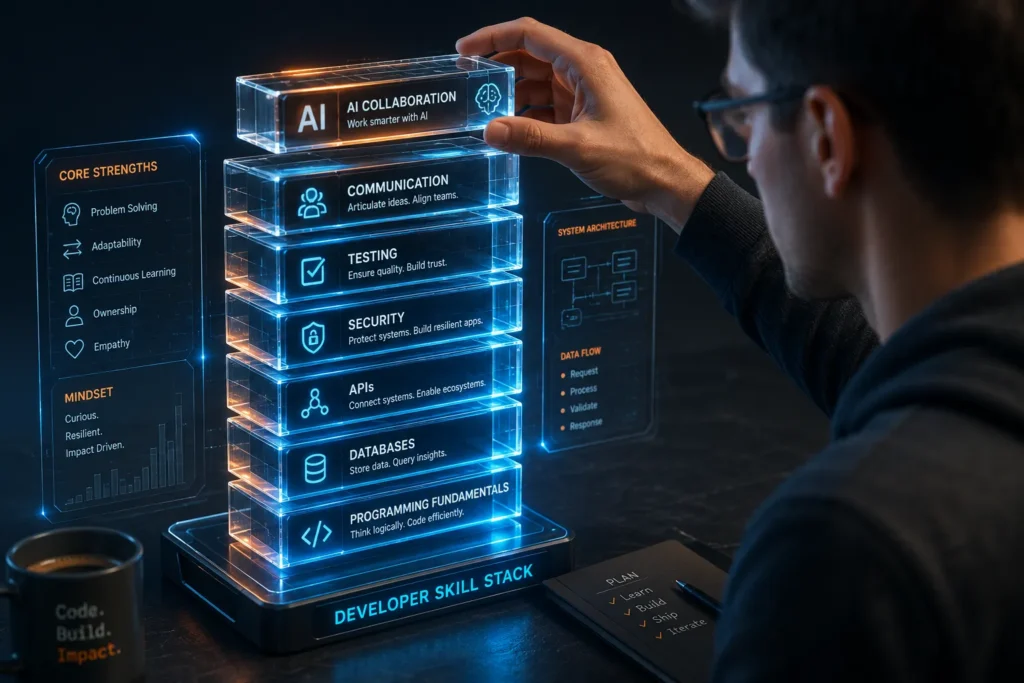
What is worth learning now
Beginners sometimes respond to AI by trying to learn everything. They collect courses in Python, JavaScript, cloud computing, machine learning, cybersecurity, and app development before finishing a single project.
That usually produces a wide vocabulary and very little confidence.
Start with one language and enough supporting knowledge to build something useful. Once you can follow data from the screen to the server and back again, other technologies become easier to understand.
Programming fundamentals
You should be comfortable with variables, conditions, loops, functions, and data structures. You should understand what happens when code runs, how values move through a program, and why state changes.
These topics may feel basic, but AI-generated code often fails in basic ways. A condition is reversed. A value can be null. An asynchronous operation finishes later than expected.
Without the fundamentals, debugging becomes random experimentation.
Data and databases
Most useful applications store information. Learn how tables, records, relationships, queries, and indexes work.
You do not need to become a database administrator. You should know why duplicate data causes trouble, why permissions belong close to the data, and why deleting a user may affect several connected tables.
Database mistakes are expensive because a pretty interface cannot hide missing or exposed information.
APIs and external services
Modern applications depend on services they do not control. Payments, maps, authentication, analytics, email, AI models, and notifications may all come from different providers.
Learn how requests work and what can go wrong. Services time out. Rate limits appear. Response formats change. Credentials expire.
The happy path is often the easiest part of an integration.
Testing and debugging
AI makes code generation faster, which means developers can create bugs faster too.
Learn how to reproduce a problem before changing the code. Read error messages carefully. Inspect the data, narrow down the possible causes, and test one assumption at a time.
A good debugger does not guess more quickly. A good debugger reduces uncertainty.
Security and permissions
You do not need to begin as a security specialist, but you must understand the basics. Learn the difference between authentication and authorization, keep secrets out of source code, validate input, and assume that users will eventually click or submit something unexpected.
Security is especially important when using AI. Generated code may solve the visible task without considering how the feature could be abused.
How to learn coding with AI without fooling yourself
AI can make learning faster. It can also make you feel productive while doing most of the thinking for you.
You see this when a beginner completes an application in a weekend but cannot add a new field without asking the AI to rebuild half the project. The app exists, yet the skill has not transferred.
A better approach is to use AI at specific points in the learning process.
Try before asking
Read the task and attempt a solution first. Even 15 minutes of focused effort gives you something to compare with the AI’s suggestion.
You will notice which part confused you. Your questions also become more precise.
“Why does this function run twice?” is much more useful than “fix my code.”
Ask for a hint
You do not always need the full solution. Ask the assistant to identify the relevant concept, point to the suspicious line, or give you a smaller example.
This keeps you involved in the solution.
Predict the result
Before running generated code, say what you expect it to do. Check which values should enter the function and what should come out.
When the result differs from your prediction, investigate why.
Break the generated code
Working once is not enough. Try empty input, long input, incorrect passwords, lost internet connections, duplicate clicks, missing records, and expired sessions.
Software becomes interesting when people stop using it exactly as planned.
Rebuild part of it
After completing a feature with help, close the AI chat and recreate the important section yourself. You do not have to remember every character.
The goal is to remember the structure and reasoning.
Keep a record of mistakes
Write down bugs that taught you something. Note what you expected, what actually happened, and how you found the cause.
That document becomes more valuable than another folder full of copied tutorials.
Use AI to get feedback sooner, not to avoid thinking.
Developer communities still help here. Real discussions often contain messy details that polished tutorials leave out. Our guide on how to use Reddit in 2026 explains how to find useful communities, search previous discussions, and evaluate AI-generated summaries without accepting them blindly.

Which programming language should you start with?
The usual answer is “it depends,” which is accurate and not very helpful. A better starting point is to choose based on what you want to make during the next six months.
JavaScript and TypeScript
Choose JavaScript when you want to build websites or applications that run in the browser. Add TypeScript once the basics make sense.
TypeScript became GitHub’s most-used language by monthly contributors in August 2025, according to GitHub’s Octoverse data. Its type system can catch certain mistakes before the code runs and gives both humans and AI tools more information about the intended structure.
JavaScript and TypeScript also work beyond the browser. You can use them for servers, desktop tools, and cross-platform mobile applications.
Python
Python is a sensible choice for automation, data analysis, backend services, and AI projects. Its syntax is readable, and beginners can create useful scripts without setting up a large application.
It is also easy to misuse. A script that works on your computer is not automatically ready for customers, private data, or large workloads.
Learn the language, then learn what production software requires around it.
Swift, Kotlin, and mobile frameworks
Choose Swift when your goal is native development for Apple platforms. Choose Kotlin for native Android applications.
Cross-platform frameworks such as React Native let developers build for iOS and Android with JavaScript or TypeScript. They can be practical for small teams, although native knowledge still helps when platform-specific problems appear.
Platform tools change regularly. Our coverage of Apple WWDC 2026 looks at the latest Apple software announcements and what they mean for users and developers.
C# for games and business software
C# is a good option for Unity game development and is widely used with Microsoft’s .NET platform. It has a clear structure and introduces concepts that transfer well to other languages.
Game development can be difficult for a first project because it combines programming with physics, animation, audio, design, and performance. It is also rewarding because you can immediately see the result of your code.
Is coding still worth it if you do not want a developer job?
Yes. Programming can be useful even when “software developer” never appears on your business card.
A marketer can automate repetitive reports. A designer can test interactive prototypes. A business owner can connect tools that previously required manual data entry. An engineer can process measurements instead of copying them into spreadsheets.
You do not need to build the next social network. Saving yourself or your team four hours each week is already a meaningful result.
Coding knowledge also helps when buying or managing software. You can ask better questions, estimate complexity more realistically, and notice when a proposed solution creates unnecessary risk.
AI increases this benefit. Someone with modest coding knowledge can now create tools that would once have required a larger team.
The important word is “knowledge.” Prompting alone may produce a demo. Understanding the result makes it usable.
Who probably should not learn coding?
Coding is not a guaranteed route to a high salary, remote work, or an easy career.
You may be disappointed if your only motivation comes from online claims that anyone can complete a short course and immediately earn a large income. The junior market is competitive, and the learning does not stop once you find a job.
Programming also involves long stretches of confusion. You may spend an evening searching for a problem caused by one missing character, an incorrect permission, or a package version nobody mentioned in the tutorial.
Some people enjoy that process. Others hate it.
Do not force yourself into coding because it appears to be the only respectable technology career. Product design, project management, sales engineering, technical support, data analysis, cybersecurity, and many other roles involve technology in different ways.
Try a real project before committing to a major career change. A small expense tracker, family task app, game prototype, or work automation will teach you more about your fit than hours of motivational videos.
Is coding still worth it financially?
It can be, but the value is moving away from basic code production.
Simple websites and generic scripts are easier to create than before. More people can offer them, and buyers may expect lower prices.
The situation changes when software touches an important business process. Companies will still pay for reliable payment systems, secure customer portals, manufacturing tools, healthcare software, logistics platforms, and applications that must keep working after the initial demo.
This is where industry knowledge becomes useful.
A developer who understands a factory, hotel, shop, clinic, or logistics operation can recognize problems that a general AI model will miss. The model can help implement the solution, but it does not spend each day inside that business.
Your strongest advantage may be the combination of coding and something else you know well.
Frequently Asked Questions
Is coding still worth learning in 2026?
Yes, provided you learn more than syntax. Coding remains useful for building products, automating work, understanding software, and checking AI-generated output.
Will AI replace software developers?
AI will replace or reduce some programming tasks, especially repetitive and clearly specified work. Developers are still needed to understand requirements, connect systems, review security, test unusual cases, and take responsibility for the finished product.
Can a complete beginner learn coding with AI?
Yes, and AI can make the first months less frustrating. Beginners should still attempt problems themselves, ask for explanations, and rebuild generated solutions to make sure they understand them.
What coding jobs are most at risk from AI?
Roles focused mainly on repetitive implementation are likely to face the most pressure. Work involving architecture, security, complex integrations, product decisions, and specialized industry knowledge is harder to automate fully.
Do you need a computer science degree to become a developer?
Not always. Some employers require or prefer a degree, while others place more weight on practical projects, experience, and technical interviews. Regardless of the route, you need a solid grasp of programming fundamentals.
So, should you learn to code in 2026?
Yes, if you want to build things, understand technology, or solve problems with software.
Learn the fundamentals even when AI can produce the answer. Build projects small enough to understand. Let the tools save you time, then check their work as though a confident stranger had written it.
The people who struggle most will be those who can only type code manually and those who can only paste AI output. There is plenty of room between those extremes.
That middle ground is where modern developers work.
Want more practical guides on AI, apps, programming, and the technology changing everyday life? Explore the latest articles on Tech-Play and follow us for clear tech coverage without the empty hype.


[…] bug fix in a copy of a project, followed by reviewing the changes and test output. Our article on whether you should learn to code in 2026 covers the judgment side. DevDay […]