Game streaming Android TV is no longer a weird experiment for tech fans — it is quickly becoming a real console alternative for the living room. With the right app, controller, and internet connection, your TV can stream high-end games without a PlayStation, Xbox, or gaming PC under the screen.
But the big question is simple: should you choose GeForce NOW, Xbox Cloud Gaming, or Boosteroid?
Game Streaming Android TV: What It Actually Means
Cloud gaming sounds futuristic, but the idea is easy. The game runs on a powerful server somewhere else, while your Android TV receives the video stream and sends your controller inputs back to the server.
The most important thing to understand is this: cloud gaming is not about your TV being powerful — it is about your connection being stable.
That is why game streaming Android TV can feel amazing in one home and frustrating in another. A cheap Android TV box with Ethernet can sometimes feel better than an expensive TV on weak Wi-Fi.
For most users, the ideal setup includes:
- A supported Android TV or Google TV device
- A Bluetooth or USB controller
- 5GHz Wi-Fi or Ethernet
- A nearby cloud gaming server region
- A subscription that matches the games you actually want to play
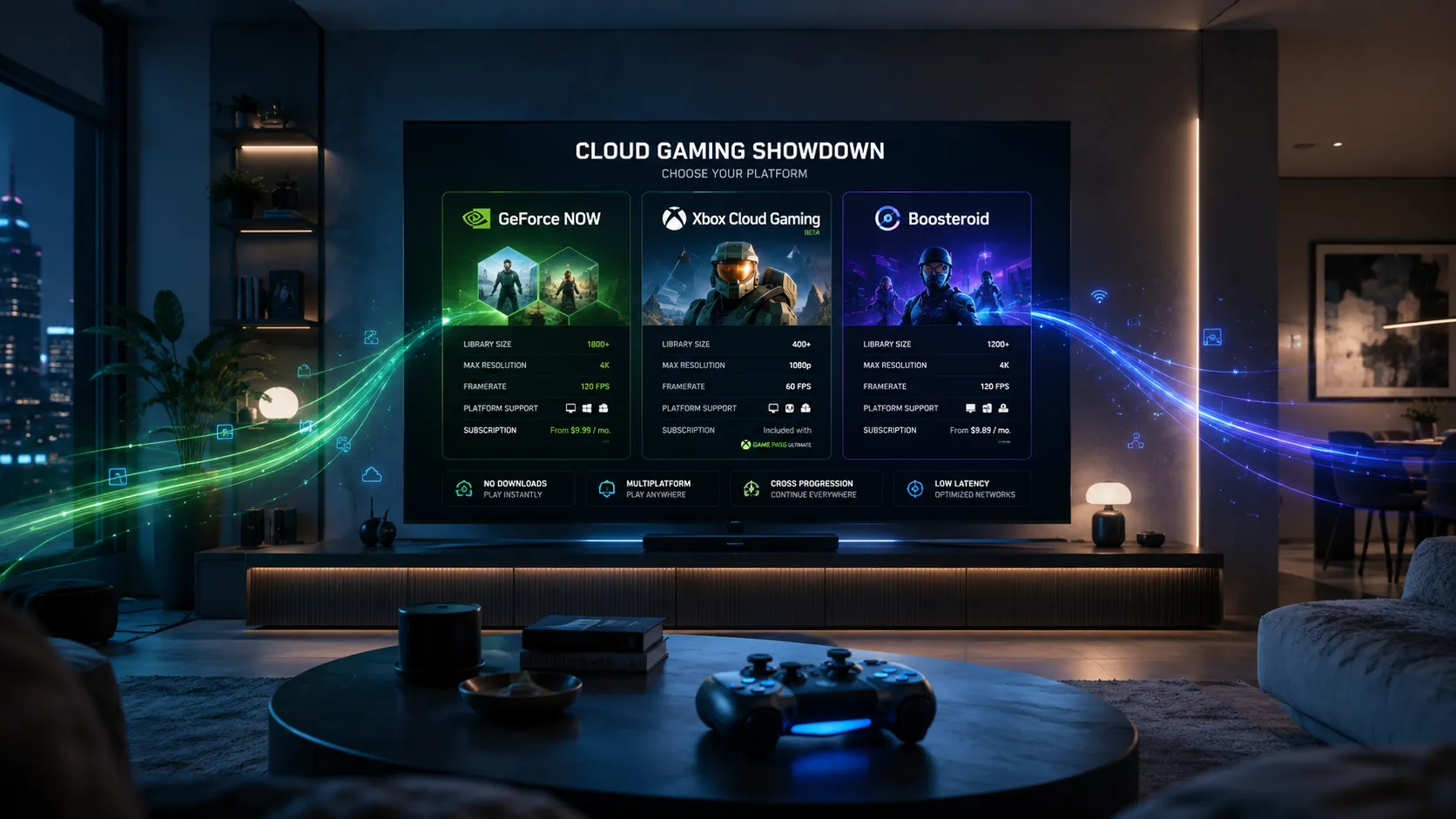
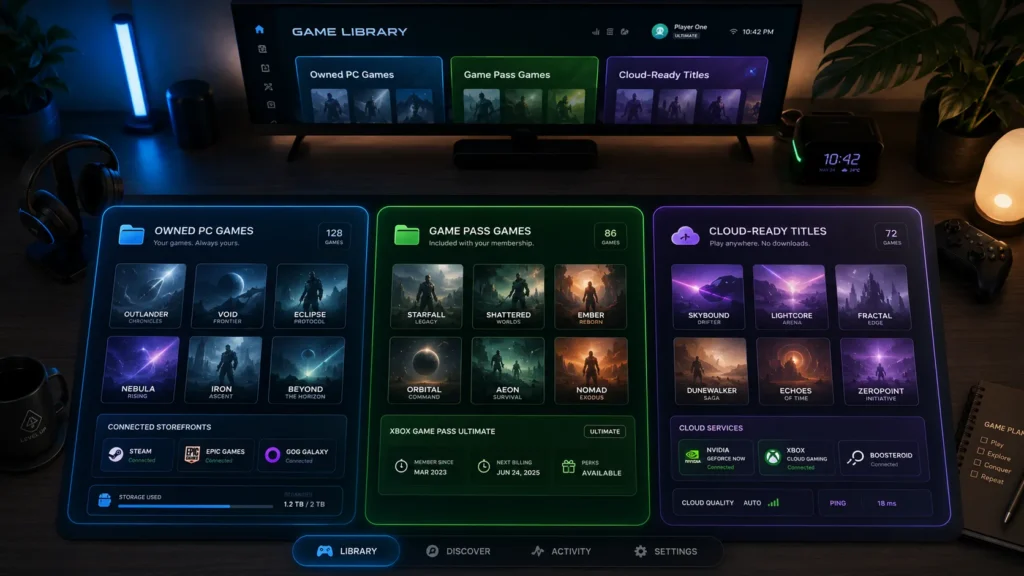
GeForce NOW, Xbox Cloud Gaming, and Boosteroid all promise big-screen gaming without big hardware. But they do not work the same way, and that is where this cloud gaming comparison gets interesting.
Quick Verdict: Which Cloud Gaming Service Wins?
For most Android TV users, GeForce NOW is the best overall choice if you already own PC games and want the strongest Android TV compatibility. NVIDIA lists Android TV support with Android 5.0 or later, 1GB of available memory, and OpenGL ES 2.0 or higher, while also recommending 15Mbps for 720p and 25Mbps for 1080p streaming. (NVIDIA)
Xbox Cloud Gaming is the easiest recommendation for people who want a Netflix-style game library. It is powerful, casual-friendly, and excellent on officially supported TVs, but official TV support focuses on selected LG TVs, Samsung TVs, and Amazon Fire TV devices rather than every Android TV box. (xbox.com)
Boosteroid Android TV is the interesting outsider. It works more like a remote gaming PC in the cloud and is great if your games are already connected to supported PC stores, but the experience can feel less polished than NVIDIA or Xbox depending on the game.
Here is the simple winner breakdown:
- Best overall for Android TV: GeForce NOW
- Best for Game Pass value: Xbox Cloud Gaming
- Best for owned PC games on a budget: Boosteroid
- Best for casual families: Xbox Cloud Gaming
- Best for visual quality and low latency: GeForce NOW Ultimate
- Best cloud gaming service 2026 for PC players: GeForce NOW
GeForce NOW Android TV: Best for PC Gamers
GeForce NOW Android TV is the strongest option for players who already have games on Steam, Epic Games Store, Ubisoft Connect, Battle.net, or other supported PC platforms. Instead of selling you a separate game library, GeForce NOW connects to games you already own.
The big advantage is that GeForce NOW feels closest to renting a high-end gaming PC in the cloud.
That makes it especially attractive if you want to play demanding games without buying a gaming desktop. Your Android TV becomes the display, your controller becomes the input, and NVIDIA’s cloud servers do the hard work.
What GeForce NOW Does Best
GeForce NOW is especially strong in three areas: image quality, input response, and PC game flexibility. NVIDIA’s higher membership tiers are designed around better rigs, shorter queues, and stronger visual performance.
NVIDIA says its Ultimate membership offers access to RTX 5080-class cloud rigs and can deliver up to 5K HDR at 120 FPS or 1080p at 360 FPS on supported devices, although Android TV has its own platform limits. (NVIDIA)
On Android TV specifically, you should be careful with expectations. NVIDIA notes that 4K streaming with Ultimate is not available on Android TV, so many users should think of it as a strong 1080p living-room option rather than a guaranteed 4K console replacement. (NVIDIA)
Where GeForce NOW Can Be Annoying
The biggest downside is the library model. You usually need to own the game on a supported store, and not every PC game is available on GeForce NOW.
That means it is not as simple as opening one subscription and instantly browsing hundreds of included games. You may also need to log into third-party launchers, sync accounts, and deal with game availability changes.
GeForce NOW is best for people who already think like PC gamers. If you love Steam sales, graphics settings, and cross-device play, this service makes sense.
Xbox Cloud Gaming Android TV: Best for Game Pass Fans
Xbox Cloud Gaming Android TV is a slightly complicated topic. The service itself is excellent, but official TV support is not the same as broad native Android TV support.
Xbox Cloud Gaming is the best choice if you want a ready-made game library, but it is not the cleanest native Android TV option.
Microsoft’s official TV page highlights Xbox Cloud Gaming on select LG TVs with webOS 24 or newer, Samsung 2020 and newer smart TVs, and selected Amazon Fire TV devices. It also lists a 20Mbps or higher connection, ideally wired or 5GHz Wi-Fi, for TV play. (xbox.com)
So if your “Android TV” setup is actually a Fire TV device, supported smart TV, or another officially listed platform, Xbox can be fantastic. But if you have a random Android TV box or Google TV device, you may not get the same official app experience.
What Xbox Cloud Gaming Does Best
Xbox wins on simplicity. You subscribe, open the Xbox app on a supported device, connect a controller, and play from a large rotating library.
Game Pass Ultimate includes a library of 400+ games on console, PC, and supported devices, plus cloud gaming at Microsoft’s best quality and shortest wait times. (xbox.com)
That is a huge deal for casual players. You do not need to buy every game separately, and you do not need to manage PC storefronts.
It is also great for families. Racing games, platformers, co-op adventures, Minecraft-style games, and family-friendly titles are easier to discover when the library is part of the subscription.
Where Xbox Cloud Gaming Falls Behind
The biggest weakness is Android TV compatibility. When people search for Xbox Cloud Gaming Android TV, they often expect a simple Play Store install on every Google TV device.
That is not the official reality today. Microsoft’s TV support is growing, but it is more focused on selected TV ecosystems and Fire TV hardware than universal Android TV.
Xbox also gives you less control than GeForce NOW. You are mostly playing console-style cloud versions, not a full PC-style setup with graphics settings and multiple storefronts.
Boosteroid Android TV: Best Budget PC-Style Alternative
Boosteroid Android TV is the most interesting service in this comparison because it sits between GeForce NOW and Xbox Cloud Gaming. Like GeForce NOW, it focuses on playing PC games through the cloud. Like Xbox, it aims to make the process feel simple on TVs.
Boosteroid is best if you want PC-style cloud gaming without going all-in on NVIDIA’s ecosystem.
Boosteroid’s own site describes the service as a way to play on Mac, Linux, iOS, Android, ChromeOS, and smart TVs without a console. (boosteroid.com) Its Google Play TV listing also positions the app around playing big PC games directly on a smart TV with a controller. (Google Play)
The setup is usually straightforward: install the app, sign into Boosteroid, connect your game accounts where needed, and launch compatible games from the cloud.
What Boosteroid Does Best
Boosteroid’s biggest strength is accessibility. It supports many device types and gives users another path into cloud PC gaming without buying expensive hardware.
It is especially attractive for players who already own games on supported platforms and want to try cloud gaming without building a PC. In many regions, Boosteroid can also be a strong value compared with more premium cloud gaming tiers.
The service has also been expanding across TV platforms. Boosteroid announced support for Fire TV OS in late 2025, showing that the company is actively pushing deeper into living-room gaming. (boosteroid.com)
Where Boosteroid Can Be Weaker
Boosteroid can feel less polished than GeForce NOW in some areas. Account login flows, game compatibility, server distance, and app quality can vary depending on your region and device.
It also may not have the same brand trust as NVIDIA or Xbox for mainstream users. That does not mean it is bad — it just means you should test it with your own internet connection before committing long term.
For Android TV users, Boosteroid is best treated as a practical alternative, not the automatic winner.
GeForce NOW vs Xbox Cloud Gaming vs Boosteroid: Main Differences
This cloud gaming comparison really comes down to one question: do you want to play your own PC games, or do you want a subscription library?
Your existing game library should decide your service before marketing hype does.
GeForce NOW and Boosteroid are better for players who already own PC games. Xbox Cloud Gaming is better for players who want a ready-made library through Game Pass.
| Feature | GeForce NOW | Xbox Cloud Gaming | Boosteroid |
|---|---|---|---|
| Best for | Owned PC games | Game Pass library | Owned PC games |
| Android TV fit | Strong | Limited official Android TV path | Good alternative |
| Game model | Bring your own games | Subscription library + selected owned games | Bring your own games |
| Casual-friendly | Medium | Very high | Medium |
| Performance focus | Very high | Good | Good |
| Setup complexity | Medium | Easy on supported TVs | Medium |
| Best user | PC gamer | Family/casual gamer | Budget cloud gamer |
If you own a big Steam library, GeForce NOW should be your first test. If you just want to sit on the sofa and explore games, Xbox Cloud Gaming feels more relaxed.
If you want a second PC-style option and Boosteroid has servers close to your region, it can be surprisingly useful.
Performance: Internet Speed Matters More Than TV Specs
Cloud gaming performance depends on three things: bandwidth, latency, and stability. Bandwidth controls picture quality, latency controls input response, and stability controls whether the stream feels smooth.
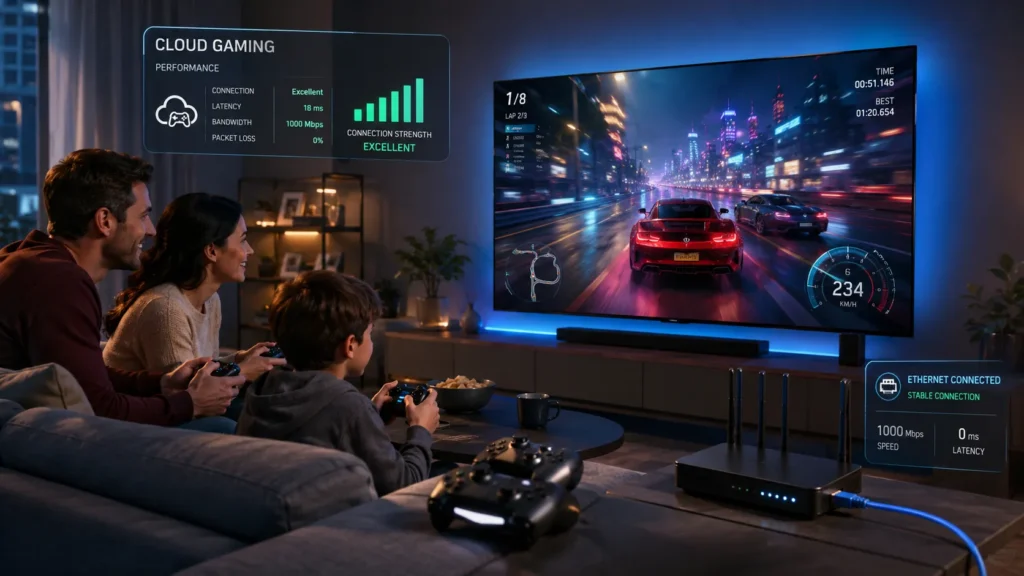
A wired Ethernet connection is the easiest upgrade for game streaming Android TV.
For GeForce NOW, NVIDIA lists 15Mbps for 720p at 60 FPS and 25Mbps for 1080p at 60 FPS, while also recommending less than 40ms latency for the best experience. (NVIDIA) Xbox recommends a wired or 5GHz Wi-Fi connection with 20Mbps down for TV cloud gaming. (xbox.com)
In real life, you should aim higher than the minimum. A 50Mbps stable connection with low latency is usually better than a 300Mbps connection that drops packets every few minutes.
Best Network Setup for Android TV Cloud Gaming
For the smoothest experience, use this setup:
- Connect your Android TV or streaming device via Ethernet.
- Use a modern controller with low Bluetooth delay.
- Keep the router close if Ethernet is not possible.
- Avoid downloading large files while streaming games.
- Test each service during evening peak hours before paying annually.
Do not judge a service from one short session. Try a racing game, a shooter, and a slower adventure game to understand latency.
Fast games expose problems quickly. Slower games can feel great even when latency is not perfect.
Controller Support: Do Not Ignore This
A good controller can make cloud gaming feel close to a console. A bad controller can make even the best service feel broken.
For TV gaming, a physical controller is not optional — it is the core of the experience.
Xbox Wireless Controllers are the safest choice for most users because they work well across Xbox Cloud Gaming, GeForce NOW, and Boosteroid. PlayStation DualSense and DualShock controllers can also work across many setups, but button labels may not always match what you see on screen.
For kids and casual players, simple matters. A familiar controller layout reduces frustration and makes the TV feel like a real console.
If possible, avoid ultra-cheap Bluetooth controllers. They often introduce extra delay, connection drops, or poor analog stick accuracy.
Which Service Should You Choose in 2026?
The best cloud gaming service 2026 depends on your player type. There is no universal winner, because the services solve different problems.
The smartest choice is not the most powerful service — it is the one that matches your games, TV device, and patience level.
Choose GeForce NOW Android TV if:
- You already own PC games
- You want strong performance
- You use Steam, Epic, Ubisoft, or Battle.net
- You care about graphics quality
- You are comfortable linking accounts
Choose Xbox Cloud Gaming Android TV if:
- You want a big included library
- You have a supported TV or Fire TV device
- You play casually with family or friends
- You prefer simple menus over PC-style settings
- You already pay for Game Pass
Choose Boosteroid Android TV if:
- You want another PC-style cloud gaming option
- You own supported PC games
- You want to compare pricing against GeForce NOW
- Boosteroid has good server coverage near you
- You are comfortable testing compatibility first
For most readers, the recommendation is simple: start with GeForce NOW if Android TV support matters most, try Xbox Cloud Gaming if Game Pass value matters most, and test Boosteroid if you want a flexible third option.
[INSERT IMAGE 4 HERE]
(Image: Ideal living-room setup for Android TV game streaming)
Best Overall Setup for Game Streaming on Android TV
A strong Android TV cloud gaming setup does not need to be expensive. In fact, the basics matter more than fancy accessories.
The best setup is a stable connection, a supported app, and a controller everyone in the house can use.
For the best experience, build around these pieces:
- Android TV or Google TV device with reliable app support
- Ethernet adapter or direct Ethernet port
- Xbox Wireless Controller or PlayStation DualSense
- 50Mbps+ stable internet connection
- 5GHz Wi-Fi as a backup, not the first choice
- TV game mode enabled to reduce input lag
Also check your TV settings. Many TVs add motion smoothing, noise reduction, and picture processing that can increase delay.
Turn on Game Mode before judging latency. It can make a bigger difference than switching subscriptions.
Internal Reading: Build a Better Android TV Gaming Setup
Cloud gaming is only one part of the living-room gaming story. If you want a device that feels more like a PC-console hybrid, check out our breakdown of the upcoming Valve Steam Machine and how it could change TV gaming: Valve Steam Machine.
And if you are still setting up your TV box, apps, controller, or streaming basics, start with our beginner-friendly setup guide: Android TV Guide Step by Step.
Both guides pair well with this comparison because your hardware setup decides how good cloud gaming feels.
Frequently Asked Questions
Can you play cloud games on Android TV?
Yes, you can play cloud games on Android TV with supported services such as GeForce NOW and Boosteroid. Xbox Cloud Gaming works very well on selected smart TVs and Fire TV devices, but broad native Android TV support is more limited.
Is GeForce NOW better than Xbox Cloud Gaming on Android TV?
For Android TV compatibility and PC game streaming, GeForce NOW is usually better. For a ready-made subscription library and casual discovery, Xbox Cloud Gaming is often easier if your TV device is officially supported.
Does Xbox Cloud Gaming work on Android TV?
Xbox Cloud Gaming is officially promoted for selected LG TVs, Samsung TVs, and Amazon Fire TV devices. Some Android TV users look for browser or sideloading workarounds, but that is not the same as full official Android TV support.
Is Boosteroid good on Android TV?
Boosteroid can be good on Android TV if your connection is stable and the games you want are supported. It is a strong alternative for PC-style cloud gaming, but you should test performance in your region before choosing a long subscription.
What internet speed do I need for game streaming Android TV?
For 1080p cloud gaming, aim for at least 25Mbps, low latency, and a stable connection. Ethernet is strongly recommended because cloud gaming often feels worse from unstable Wi-Fi than from low download speed.
Conclusion: The Best Game Streaming Android TV Choice
Game streaming Android TV is finally good enough to replace a console for many casual players, but choosing the right service matters. GeForce NOW is the strongest Android TV-first option for PC gamers, Xbox Cloud Gaming is the best library-first option on supported TV platforms, and Boosteroid is the flexible challenger worth testing.
The best move is simple: match the service to your library first, then test your network before paying long term.
Want more practical tech guides like this? Download the Tech Feed app for quick tech updates, and keep exploring tech-play.net for Android TV, gaming, AI, and streaming guides that help you choose smarter before you spend.