
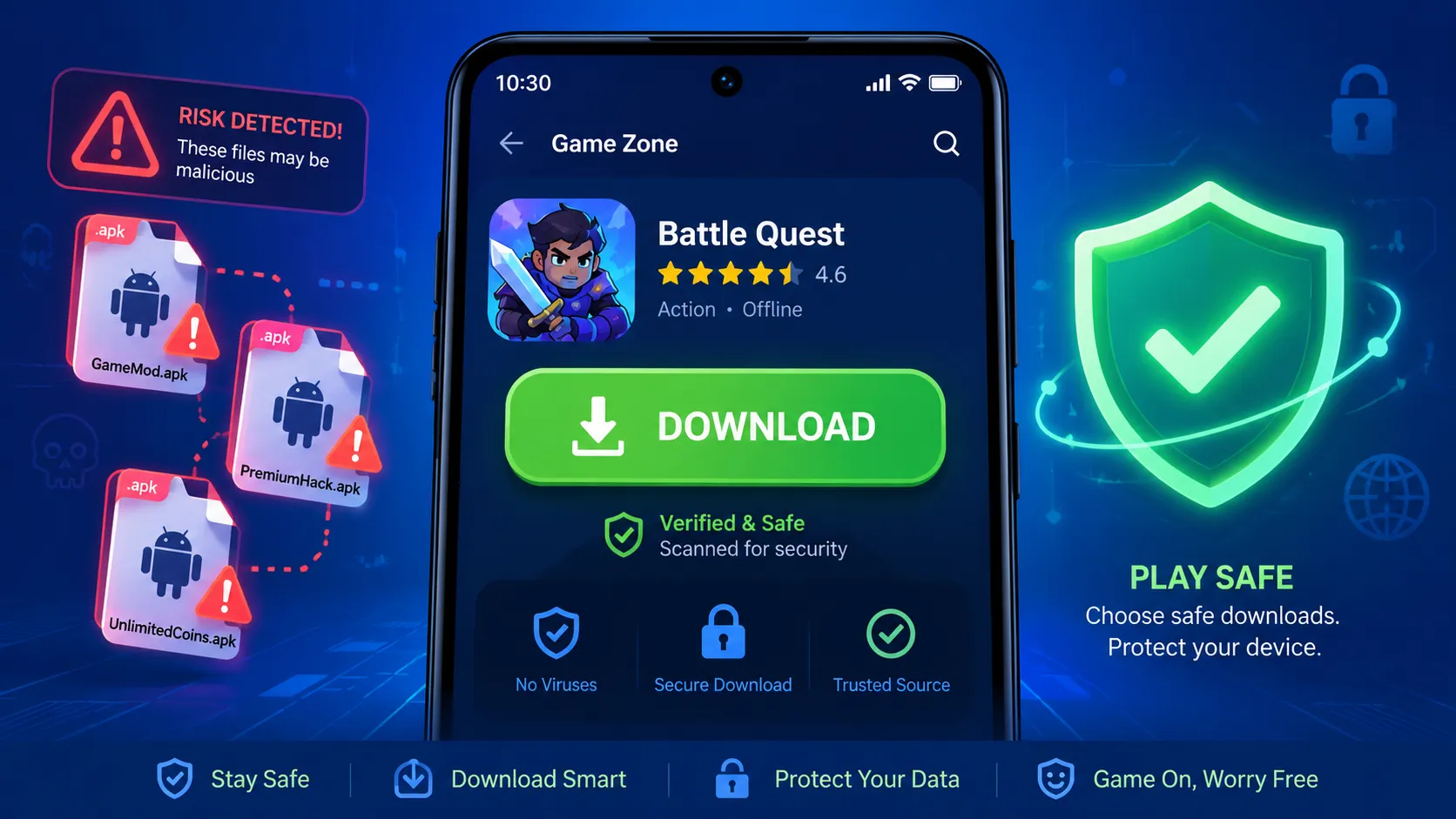
Downloading a new mobile game should feel exciting, not risky. But with fake APKs, cloned game pages, and malicious APK files spreading across the web, safe game downloads are now a must-have habit for every Android user.
The good news? You do not need to be a cybersecurity expert. You only need a simple checklist, a bit of patience, and the confidence to walk away when a game download looks suspicious.
Why Safe Game Downloads Matter More Than Ever
Android gives users a lot of freedom, and that is one of its biggest strengths. You can install games from the Google Play Store, official developer websites, trusted alternative stores, and sometimes direct APK files.
That freedom also creates risk. A fake APK can look like a real game, use a real-looking icon, copy screenshots, and still hide dangerous code inside.
For gamers, the trap is usually simple: a fake website promises an early release, a free premium version, unlimited coins, unlocked skins, or a “mod menu.” The page looks exciting. The download button looks real. The APK installs like a normal app.
Then the problems start.
A malicious game APK may steal login details, push spam notifications, collect personal data, show aggressive ads, install hidden services, or ask for permissions that no game should need. Some fake game apps are just annoying. Others can be seriously harmful.
What Is an APK File?
An APK file is the installation package format used by Android apps. Think of it like a box that contains everything an Android app needs to install and run on your phone.
APK files are not automatically bad. Developers, testers, Android TV users, and advanced Android fans often use APK files for legitimate reasons.
The danger comes from where the APK comes from, who created it, and whether it has been modified after release.
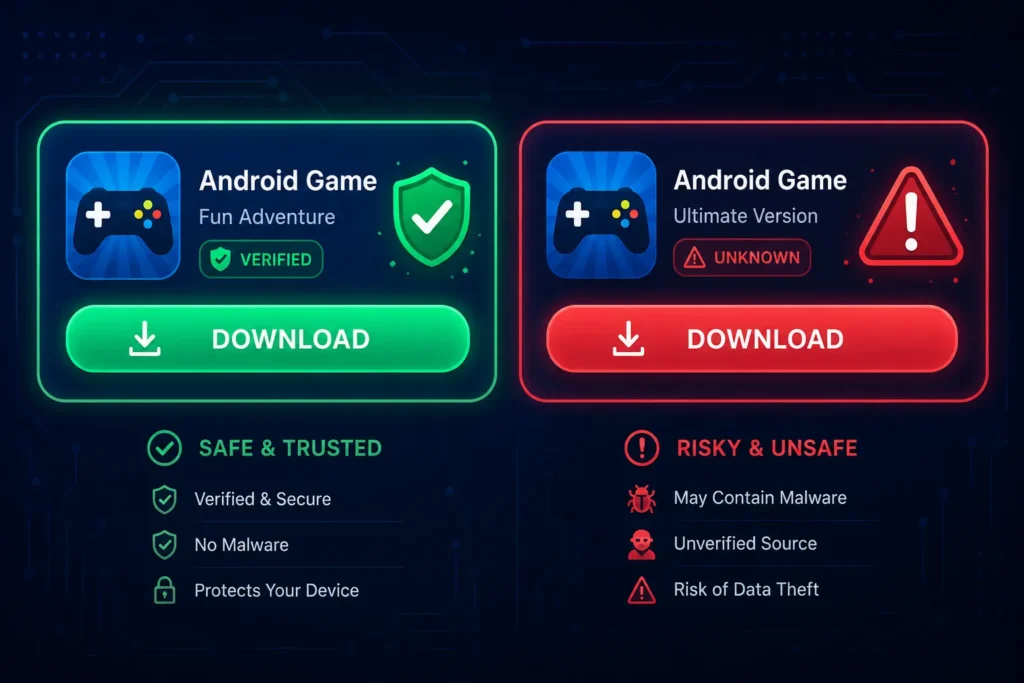
A safe APK download usually comes from a trusted source. That could be Google Play, the official website of a known developer, a reputable app store, or a recognized open-source project page.
A risky APK often comes from a random mirror site, a social media comment, a file-sharing link, a pop-up ad, or a page that uses words like “free premium hack” or “unlimited money mod.”
The Biggest Red Flags of Fake APKs
Fake APKs often follow the same patterns. Once you know the warning signs, they become much easier to spot.
The biggest red flag is a download offer that feels too good, too early, or too aggressive.
Watch out for these signs:
- The website promises a game before its official release date.
- The page offers paid games for free without a clear legal reason.
- The APK claims to unlock unlimited coins, gems, skins, or battle passes.
- The download button is surrounded by pop-ups and fake “virus scan” messages.
- The website name is almost the same as a real brand but slightly misspelled.
- The file name looks strange, such as
game-update-final-v7-free-unlocked.apk. - The app asks for permissions that do not match the game type.
- The page has fake countdown timers or “only 3 downloads left” messages.
- The comments look copied, generic, or overly positive.
- The developer name does not match the real publisher.
A real game download page usually wants trust. A fake one usually wants speed. That is why scammers push you to install fast before you think.
How Fake Game Apps Trick Players
Fake game apps do not always look obviously bad. Many are designed to copy the style of popular mobile games, trending console games, or viral Android TV games.
A fake app might use a nearly identical logo. It might show screenshots stolen from the real game. It might even use the same description as the official store listing.
The trick is emotional: scammers use hype, curiosity, and fear of missing out.
Common fake game app traps include:
- Early access scams
The page claims you can download a game before everyone else. - Premium unlocked scams
The APK claims to unlock all paid features, but the real goal is installing malware. - Mod menu scams
The file promises cheats or unlimited resources, often targeting younger players. - Android TV game scams
The page offers “TV optimized” APK files, but the app may be modified or unsafe. - Update scams
The page says your current game needs a manual APK update outside the official store.
A real update usually comes through the platform where you installed the game. If a random website tells you to update manually, stop and verify first.
Use Official Stores Whenever Possible
The safest game download option is usually the official app store on your device. For most Android users, that means Google Play.
Official stores are not perfect, but they add important layers of safety. They check apps, display developer details, show user reviews, handle updates, and provide easier uninstall paths.
For everyday users, downloading from official stores should be the default choice.
This matters even more for kids, family tablets, shared Android TV devices, and phones used for banking or work. A gaming APK from a random website can create risks far beyond gaming.
If you love gaming on bigger screens, you can also explore safer options through trusted app stores and verified platforms. For example, Tech-Play has a guide to the best free games for Android TV in 2026 that focuses on easy, accessible game ideas without pushing risky APK habits.
When Is an APK Download Reasonable?
There are situations where downloading an APK can make sense. Some apps are not available in every region. Some open-source games are distributed outside major stores. Some Android TV apps need manual installation because they are not listed for every device.
Still, “possible” does not always mean “safe.”
An APK download is only reasonable when you can clearly verify the source, developer, file, and permissions.
A safer APK situation usually looks like this:
- The APK is linked from the developer’s official website.
- The developer is known and has other verified profiles.
- The file is hosted on a reputable platform.
- The app does not ask for strange permissions.
- The version number matches official release notes.
- Other trusted sources mention the same download path.
- Your phone’s security tools do not flag it.
A risky APK situation looks like this:
- The download comes from a random blog or file mirror.
- The page is full of ads, redirects, and pop-ups.
- The game is normally paid but appears “free unlocked.”
- You cannot verify the developer.
- The file asks you to disable security settings.
- The installer wants accessibility access for no clear reason.
The safest move is simple: when in doubt, do not install.
Check the Developer Before You Download
Before installing any game, look at the developer. This step is boring, but it is powerful.
Fake APKs often hide behind confusing publisher names, copied logos, or generic developer profiles. The goal is to make you assume the app is official without checking.
A real developer identity is one of the strongest signs of a safe game download.
Check these details:
- Does the developer name match the official game publisher?
- Does the developer have an official website?
- Does the website link back to the store listing?
- Are the social media accounts real and active?
- Does the developer publish release notes or support pages?
- Are there other apps from the same developer?
- Do those apps look consistent and legitimate?
For popular games, search the game title plus “official Android.” Then compare the developer name with the listing you found.
Do not trust a logo alone. Logos are easy to copy. Developer identity is harder to fake consistently across stores, websites, support pages, and social accounts.
Read Reviews, But Do Not Trust Them Blindly
Reviews can help, but they can also be manipulated. Fake game apps often use fake reviews to look real.
A suspicious review section may be packed with short comments like “best app,” “very good,” “working 100%,” or “nice game.” These reviews do not explain real gameplay. They only create the illusion of trust.
Good reviews talk about specific features, bugs, updates, device performance, and real player experience.
Look for:
- Detailed comments about gameplay.
- Mentions of device models.
- Recent reviews after the latest update.
- Complaints about ads or permissions.
- Developer replies that sound professional.
- Balanced feedback, not only perfect ratings.
Also check the negative reviews. They often reveal problems faster than the five-star section.
If many users mention strange ads, account issues, login problems, overheating, battery drain, or hidden subscriptions, treat that as a serious warning.
APK Safety Android Checklist Before Installing
Before installing any APK, slow down and run through a quick checklist. This takes less than a minute and can save you a lot of trouble.
The best APK safety Android habit is to verify before you tap install, not after something feels wrong.
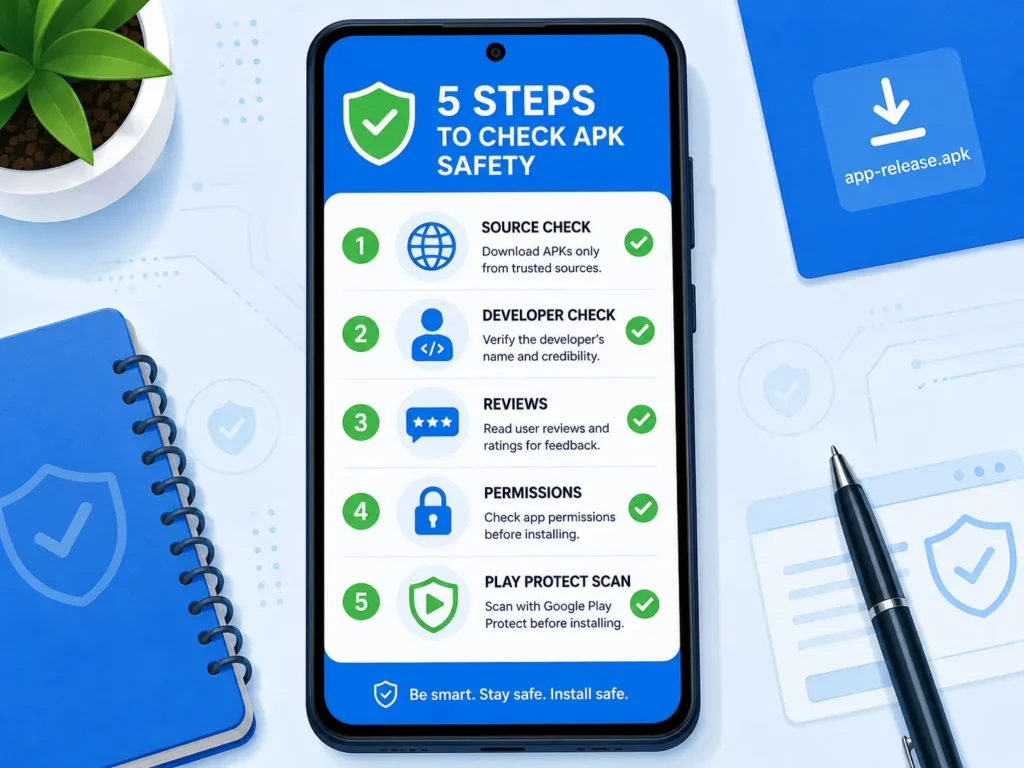
Use this checklist:
- Source check
Is the APK from the official developer, a trusted app store, or a known open-source repository? - Developer check
Does the developer name match the real publisher? - Version check
Does the APK version match official release notes or the latest known version? - Permission check
Does the game request only permissions that make sense? - Review check
Are reviews detailed, recent, and realistic? - Security check
Does your Android device or Play Protect show warnings? - Update check
Will future updates come from a trusted source? - Common sense check
Is the offer too good to be true?
This checklist is especially important when downloading games for kids. Children may click exciting buttons quickly, especially when a page promises free characters, coins, or skins.
Permissions That Should Make You Pause
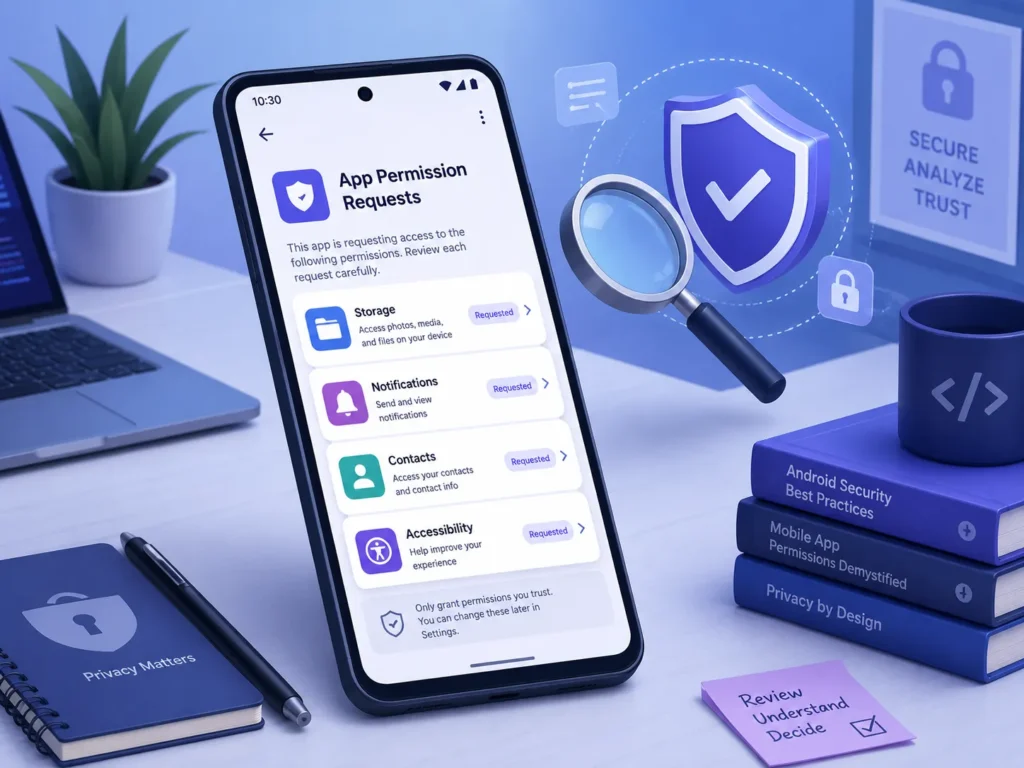
Permissions are one of the clearest signs of what an app wants to do. A racing game, puzzle game, or casual arcade game usually does not need deep access to your phone.
Some permissions can be normal depending on the game. For example, a multiplayer game may need microphone access for voice chat. A location-based game may need location access.
The key question is simple: does this permission make sense for this game?
Be careful if a game asks for:
- Accessibility access.
- SMS access.
- Notification reading.
- Contact list access.
- Call log access.
- Device admin rights.
- Full file management access.
- Permission to install unknown apps.
- Permission to display over other apps.
Accessibility access is especially sensitive. It can be useful for legitimate accessibility tools, but malicious apps may abuse it to read screens, automate taps, or interfere with other apps.
If a simple game asks for powerful permissions, uninstall it or do not install it at all.
Avoid “Unlimited Coins” and Mod APK Traps
Mod APKs are one of the most common ways users get tricked. A mod APK is a modified version of an app. It may claim to unlock premium features, remove ads, or add cheats.
Some players see this as harmless fun. But from a safety perspective, it is risky.
A modified APK means someone changed the original app, and you may not know what else they added.
That “unlimited coins” file could also include hidden trackers, aggressive adware, credential theft, or malware. It could break the game’s terms of service. It could also get your account banned.
There is another problem: mod APK sites often use confusing download pages. You may think you are downloading the game, but you are actually clicking ads, installers, notification traps, or fake update tools.
For safe game downloads, avoid mod APKs completely. The risk is usually not worth the reward.
Be Extra Careful With Android TV APKs
Android TV users often search for APK files because some apps are easier to find on phones than on TVs. This is understandable, especially when exploring games, emulators, streaming tools, or region-limited apps.
But TV devices can also become targets. A fake APK on Android TV may show ads, track activity, slow down the device, or create privacy concerns.
Your TV is still a smart device, and smart devices deserve the same safety rules as your phone.
Before installing a game APK on Android TV:
- Prefer the Google Play Store on the TV.
- Check whether the app has an official Android TV version.
- Avoid APKs promoted through random video comments.
- Do not install “required player” or “required booster” apps.
- Remove APK installer permissions after use.
- Keep Play Protect or built-in app scanning enabled.
- Uninstall anything that behaves strangely.
If you are just looking for fun games, safer store-based options are usually enough. Start with trusted lists and official listings before taking the APK route.
What To Do If You Installed a Fake APK
If you think you installed a fake APK, act quickly but calmly. Do not keep opening the app to “test” what it does.
The first move is to disconnect the app from your data and remove it as soon as possible.
Follow these steps:
- Uninstall the app
Go to Settings, open Apps, select the suspicious game, and uninstall it. - Check permissions
Review permissions for camera, microphone, contacts, files, SMS, notifications, and accessibility. - Disable unknown app installs
Remove install permission from browsers, file managers, and messaging apps. - Run a security scan
Use your device’s built-in protection and a reputable mobile security app if needed. - Change passwords
Change passwords for accounts used on the device, especially gaming, email, and banking accounts. - Check subscriptions and payments
Look for unknown charges, premium SMS activity, or strange payment attempts. - Restart the device
Restarting will not magically fix malware, but it can stop some active background behavior after uninstalling. - Factory reset if necessary
If the device still behaves strangely, back up important files carefully and consider a full reset.
If the fake app had access to your child’s device, also check family payment settings, account recovery email, and parental controls.
How Parents Can Protect Kids From Fake Game Apps
Kids are often targeted because game scams use colorful graphics, popular characters, and simple promises. A child may not understand why “free diamonds” or “new secret version” is dangerous.
Parents do not need to ban gaming completely. A better approach is to create safe habits.
The goal is not fear; the goal is smart, confident downloading.
Try these family rules:
- Only download games from approved stores.
- Ask before installing anything outside the store.
- Never install games from video comments or random links.
- Avoid “free coins,” “skin generator,” and “hack” websites.
- Use parental controls for purchases and installs.
- Keep devices updated.
- Review installed apps together once per month.
This is also a great moment to teach digital common sense. If a website promises something impossible, it is probably not a gift. It is bait.
Safe Game Downloads and the Future of Mobile Apps
Game downloads are changing fast. AI assistants, app stores, web apps, cloud gaming, and smart devices are all blending together.
In the future, we may not always open traditional apps the same way we do today. Tech-Play explored this wider trend in AI agents replacing apps on phones, and it is easy to imagine a future where assistants help users choose safer downloads automatically.
But for now, users still need good habits.
Technology can help protect you, but your decisions still matter.
A security warning is useful only if you do not ignore it. A verified store helps only if you choose it over a random “free premium APK” site. A permission screen protects you only if you stop and read it.
Safe game downloads are not about being paranoid. They are about staying in control.
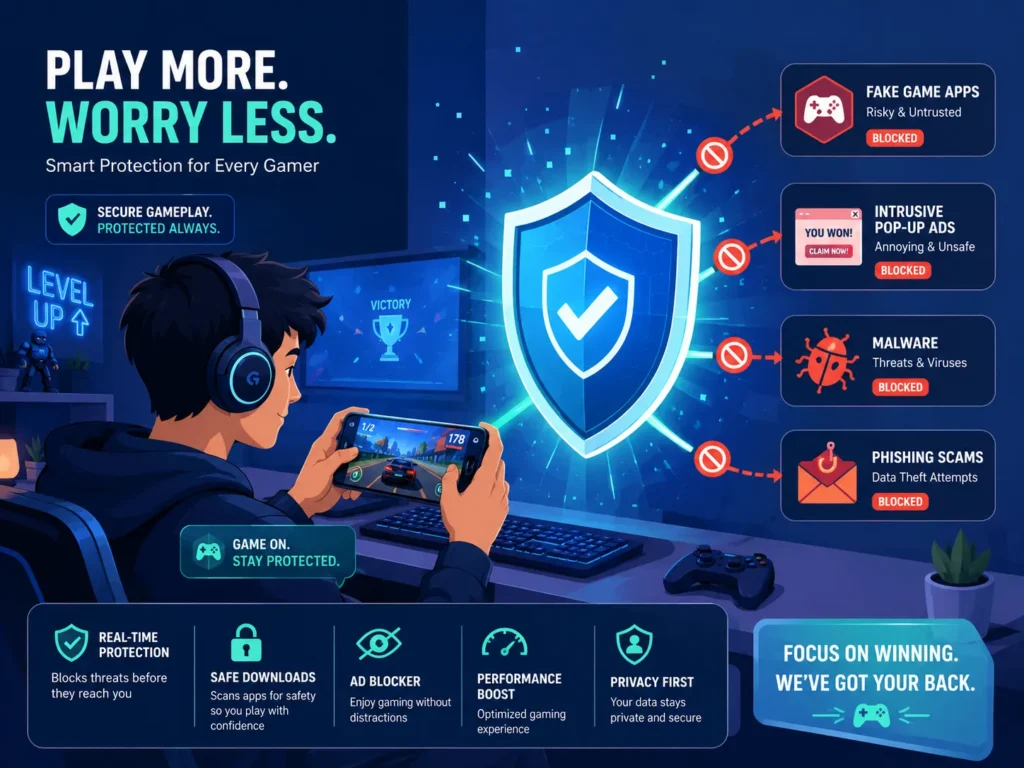
Quick Safe APK Download Checklist
Before you download your next Android game APK, use this simple final checklist.
If an APK fails two or more of these checks, skip it.
- Is the source official or highly trusted?
- Does the developer name match the real publisher?
- Does the app have realistic reviews?
- Are the permissions reasonable?
- Is the version number believable?
- Is the website free from pop-up chaos?
- Does the app avoid asking you to disable security?
- Are you avoiding modded or hacked versions?
- Can you update the app safely later?
- Would you feel comfortable installing it on a family device?
That last question is powerful. If you would not install it on a child’s tablet, work phone, or shared family TV, maybe it does not belong on your personal phone either.
Frequently Asked Questions
What is the safest way to download Android games?
The safest way is to download games from official app stores like Google Play or from the verified website of the original developer. For most users, official stores offer the best balance of convenience, updates, reviews, and safety checks.
Are APK files always dangerous?
No, APK files are not always dangerous. APK is simply the Android installation package format, but APK safety depends on the source, developer, permissions, and whether the file was modified.
How can I avoid fake APKs?
To avoid fake APKs, check the source, developer name, reviews, permissions, and version number before installing. Avoid downloads that promise free premium features, unlimited coins, early access, or hacked versions of paid games.
What permissions are suspicious for a game APK?
Suspicious permissions include SMS access, contact access, accessibility access, notification reading, device admin rights, and permission to install other apps. A normal game should not need deep control over your phone.
What should I do if I installed a malicious APK file?
Uninstall the app immediately, review app permissions, disable unknown app installs, run a security scan, and change important passwords. If the phone still behaves strangely, consider backing up important files and performing a factory reset.
Conclusion: Safe Game Downloads Start With One Pause
Fake APKs work because they make players rush. They promise early access, premium features, free coins, or exclusive versions that sound too exciting to ignore.
But one pause can protect your phone, your accounts, and your privacy.
Safe game downloads are about checking before installing: source, developer, permissions, reviews, and security warnings.
Choose official stores whenever possible. Avoid fake game apps and mod APK traps. Treat every unknown APK like a locked door: maybe safe, maybe not, but worth checking before you open it.
Want more smart tech guides? Explore more Android, gaming, and app safety content on Tech-Play — and check out our Android TV gaming guide to find fun games without risky downloads.